







Odoo Development
eCommerce
 Hardik Soni
29 October 2026
Hardik Soni
29 October 2026
Odoo WooCommerce connector: how to connect, sync, and automate your store (2026 guide)
 Hardik Soni
Modern enterprise resource planning is shifting from a static system of record to a model of continuous autonomous execution. Native AI in Odoo introduces artificial intelligence models directly into the core platform architecture to eliminate fragmented external script bridges.
This integrated approach ensures that data processing, predictive analytics, and core background workflows occur immediately within the primary database environment. A recent IDC SaaSPath survey notes that over 50% of enterprise applications already feature built-in intelligence. Furthermore, 44% of surveyed organizations plan near-term software investments to replace manual workflows.
This shift drives rapid regional growth as Dubai manufacturers are adopting Odoo AI principles to modernize production lines. Enterprise users can manage multi-department parameters and generate dynamic analytics without constantly transferring data into separate external software tools. This guide analyzes verified platform updates to clarify how native Odoo AI features optimize operational integrity and reduce infrastructure overhead.
The architectural capabilities of Odoo 19 AI are confirmed, while subsequent Odoo 20 AI developments reflect current long-term engineering roadmaps. The analysis focuses strictly on native Odoo artificial intelligence modules rather than generic third-party API integrations.
Native AI in Odoo operates directly inside the existing interface, application context, database records, and permission structures of the platform. This deep architectural alignment removes the need to transfer confidential corporate files to separate processing platforms.
Eliminating external transfers cuts systemic friction while facilitating a clear Odoo AI vs custom AI development assessment.
The Odoo AI assistant accesses the exact document, transaction record, or communication thread that an operator is currently viewing. Teams no longer need to copy data manually into an external chatbot to complete a task. This situational awareness allows the system to generate relevant document summaries and draft precise client communications based on historical text.
Structural safeguards dictate that the standard Odoo ERP AI tool cannot modify central registry values without authorization. Basic conversational tools focus on answering informational requests and cleaning up text strings.
Direct changes to database records require fully configured workflows with specific data access permissions. This functional boundary prevents unverified background activities from disrupting core database rules.
A native capability is built straight into core system modules. Conversely, a third-party Odoo AI integration relies on external processing models. A tailored Odoo AI implementation extends these mechanisms to match specialized operational pipelines.
The deployment of Odoo 19 AI establishes artificial intelligence as a platform-level capability across the entire enterprise ecosystem. This centralized architecture ensures multiple native modules share identical intelligence parameters.
Users can invoke the Odoo AI assistant directly from the top navigation bar or the global command palette. The interface opens specific dashboard views, translates multi-language communication threads, and details primary Odoo 19 AI features within background logs. It also reviews active content drafts and suggests contextual next actions for operational teams.
Organizations can deploy comprehensive odoo AI agents by using specific system prompts and operational boundary topics. These specialized Odoo AI modules link directly to tools that execute automated actions. Verified data sources allow teams to run a custom AI agent on your Odoo knowledge base using corporate PDFs, web links, internal documents, and articles.
Dedicated smart inputs automatically generate record values based on historical parameters or specific text prompts. Common applications include product description creation, categorical classifications, and structured document summaries. A scheduled automated script runs in the background to populate empty metadata spaces across large tables.
Advanced search parameters allow operators to query backend databases using plain text strings. Distinct system rules separate these standard data retrieval requests from data-changing activities.
Security parameters mirror structural boundaries frequently highlighted when contrasting Odoo AI vs Salesforce agent force deployment mechanisms. This protective layer ensures that automated server actions and record modifications require explicit administrative approval.
The platform handles email composition, live meeting transcription, and real-time voice dictation during daily operations. Automated live chat functions connect directly to CRM modules to route incoming inquiries into structured sales lead pipelines. This seamless configuration highlights the practical value of a modern AI powered ERP.
The mechanics of Odoo AI workflow automation depend on structured processing sequences rather than absolute programmatic freedom. This execution layer relies on a clear administrative boundary to maintain strict database governance.
An operational sequence begins when a specific event occurs within the ERP environment, which helps teams spot early ERP failure warning signs caused by unmonitored baseline delays. This baseline catalyst can include a record status change, a newly uploaded document, an incoming client request, or a pre-set scheduled action. The system initializes background processing immediately when these criteria are met.
Once activated, the AI in Odoo ERP scans approved relational databases to gather relevant situational information. The architecture pulls reference data from specified database records, transactional histories, internal knowledge base articles, and attached PDFs. This step ensures the processing model operates strictly within verified corporate parameters.
A designated system prompt, operational topic, and assigned core tool direct the next stage of execution. The system then populates a targeted data entry field, compiles a summary, opens a dashboard view, or updates an approved transaction record. These functional limits keep background activities aligned with predefined company rules.
Sensitive operational adjustments require manual verification before modifying live database configurations. Operational supervisors check automated summaries, lead assignments, and transactional drafts before finalizing changes that impact financial or client directories. This systematic oversight ensures a reliable Odoo AI automation structure.
Deploying AI in Odoo ERP delivers the highest strategic value by reducing repetitive informational tasks inside existing business processes. This structural shift allows enterprises to maximize the utility of recorded database assets without transferring files between external applications. Centralized data processing yields a favorable functional footprint in typical Odoo vs NetSuite AI technology reviews.
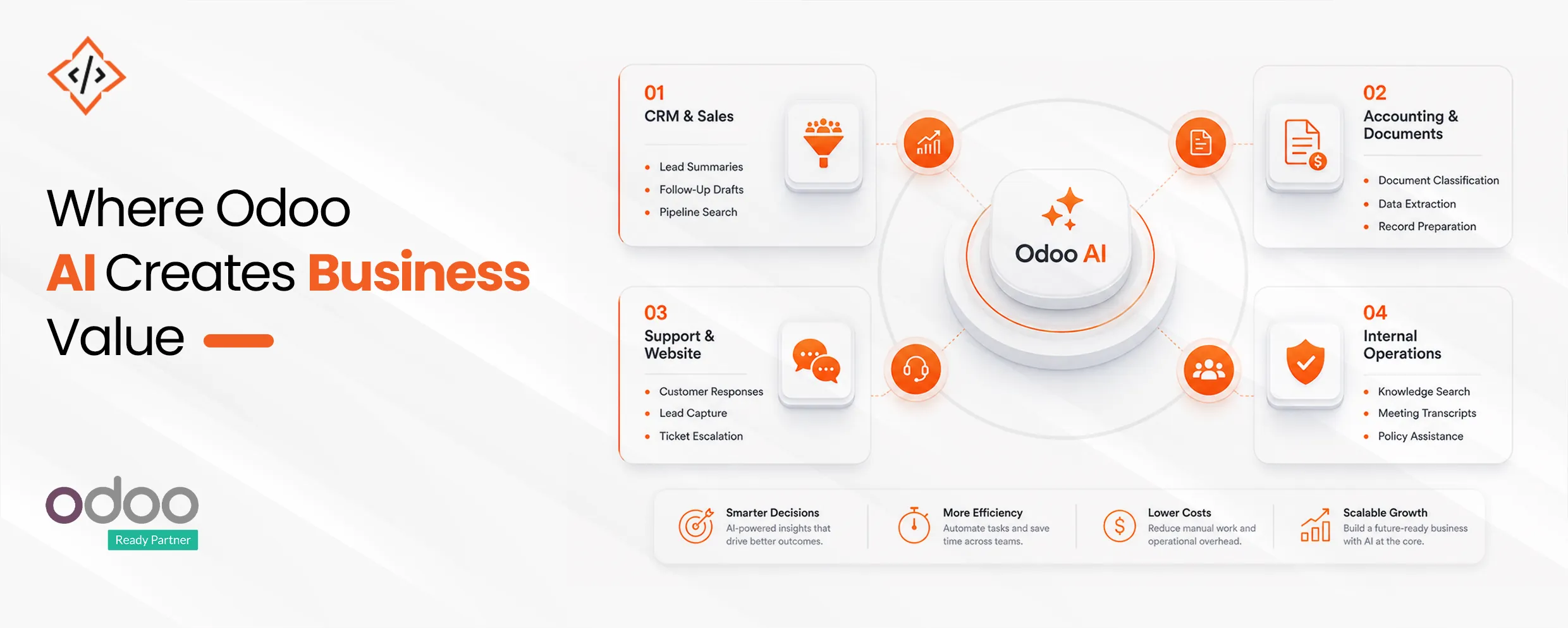
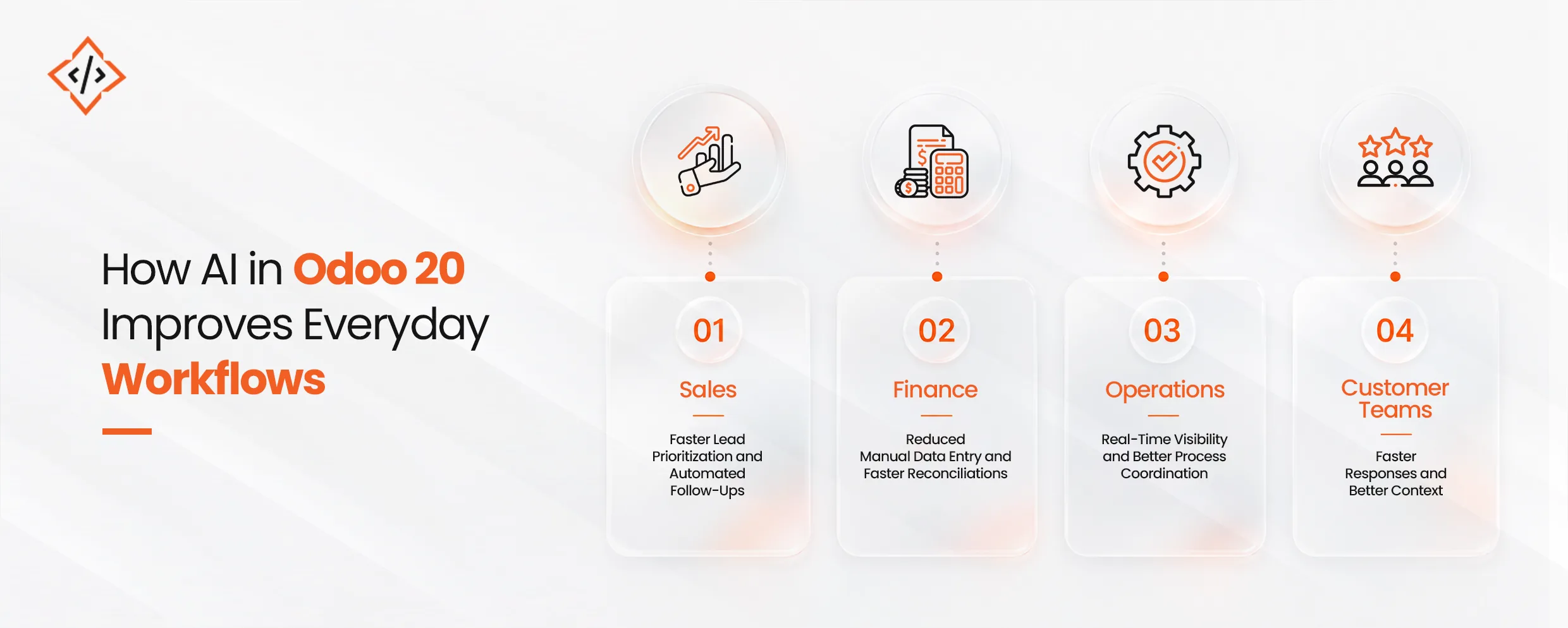
Sales executives spend less time manually managing leads by using automated text summary tools directly inside the pipeline view. The platform generates targeted follow-up drafts, surfaces real-time customer insights, and suggests clear next actions during negotiations.
Natural language search queries allow teams to locate client profiles quickly without configuring complex database filters. Fast lookup mechanisms clarify architectural distinctions often raised in Odoo AI vs SAP AI enterprise strategy analysis.
Automated document classification and rapid data extraction tools accelerate manual tasks like Odoo AI invoice automation. The Odoo ERP AI system scans incoming files, auto-populates critical tracking fields, and flags entry discrepancies before submission. These native capabilities ensure rapid record preparation while preventing unauthorized ledger adjustments.
Support operations gain consistent customer responses by grounding live chat systems directly in corporate policy databases. The native system captures new leads from public inquiries and automatically routes technical escalations to designated internal teams. Marketing staff can also use text prompts to generate descriptive website copy instantly.
Enterprise teams achieve faster record retrieval by asking policy questions directly to an internal knowledge base assistant. Built-in translation modules, meeting transcriptions, and department-specific agents help eliminate back-office processing delays. This structural alignment ensures clean operational continuity across every functional branch of the platform.
The continuous engineering roadmap indicates a shift toward deep operational participation rather than basic conversational assistance to support forthcoming Odoo 20 AI features. Because Odoo 20 is not yet released, these points reflect projected product direction rather than active production features.
Future updates target process-aware agentic tools that complete multi-step tasks autonomously. Instead of waiting for manual commands, these independent modules will actively handle complex workflows across separate corporate branches.
Anticipated plans indicate an expansion of tailored intelligence straight inside specialized applications. These embedded tools will utilize the unique record terminology and operational rules of each respective workspace.
Executing broader system actions across live databases requires strict permission tracking. Advanced automation loops utilize rigorous confirmation steps to protect sensitive operational directories, ensuring mandatory human review checkpoints remain active.
This structural matrix details specific functional updates and platform capabilities across both major versions of the enterprise system. These clear comparisons provide a foundation for a transparent Odoo implementation cost breakdown across shifting infrastructure tiers.
| Comparison Area | Odoo 19 | Odoo 20 Roadmap |
|---|---|---|
| Release status | Released and documented | Scheduled for September 2026 |
| Primary AI role | Context-aware assistance and configured actions | Broader task execution |
| User interaction | Prompts, search, fields, agents | Deeper module-level assistance |
| Automation depth | Defined tools and server actions | More multi-step workflows expected |
| Adoption decision | Suitable for current implementation | Requires roadmap and upgrade planning |
An effective Odoo AI implementation must begin with a single measurable workflow rather than an immediate company-wide rollout. This gradual approach allows technical leaders to establish clear execution benchmarks before adjusting broader database frameworks.
Operational managers can easily request specialized assistance from a certified Odoo partner in Dubai network hub. According to a 2026 Gartner AI deployment study, organizations with successful automation initiatives invest up to four times more in foundational data governance than companies with stalled pilots.
Operations leaders must prioritize repetitive high-volume tasks that involve document indexing, database queries, and content validation. Excellent entry points include multi-sentence chatter summaries, initial customer lead classifications, and structured purchase order updates. Focusing on these narrow areas yields immediate operational clarity without disrupting complex system logic.
System administrators must review record accuracy, document quality, duplicate entries, and nomenclature standards. Verifying these parameters on an Odoo migration checklist ensures reliable performance before initializing any conversational agent.
Corrupted master records or incomplete product descriptions will cause background processing models to generate flawed transactional fields. Clean historical data ensures that automated scripts read internal databases accurately.
Clear security profiles must dictate exactly which users, background agents, core tools, and relational tables are permitted to interact. Enterprises must decide whether to deploy standard OpenAI or Gemini API connections because specialized large-scale configurations introduce distinct external provider transaction costs. Managing these variables prevents unmonitored infrastructure budget overruns.
High-impact database adjustments require mandatory manual authorization before affecting customer profiles, ledger entries, or workforce records. Operational supervisors must verify automated accounting drafts and final supplier commitments to maintain strict corporate compliance. This safety checkpoint protects core financial integrity from unexpected machine execution anomalies.
Technical teams must actively track administrative processing time, model correction rates, employee adoption speed, and final text accuracy. Monitoring the explicit cost per workflow helps determine the true business value of an active AI powered ERP configuration. These concrete measurements justify subsequent development expansions across other corporate branches.
A business utilizing standard application structures relies entirely on out-of-the-box native features. Conversely, a third-party Odoo AI integration connects the system to external analytical datasets or secondary consumer channels. Complex organizational environments require custom Odoo AI modules to execute highly specialized proprietary workflows.
Odoo 20 brings meaningful improvements beyond AI that shape how teams interact with the platform every single day.
Several Odoo 20 new features focus on improving everyday usability across the platform. Navigation feels cleaner, workflows feel more structured, and teams can move through tasks with fewer interruptions. Small interface improvements may seem minor individually, but together they create a smoother user experience across daily operations.
Odoo 20 business updates also introduce meaningful improvements across core modules businesses rely on every day. Accounting workflows feel more streamlined. Inventory becomes easier to manage. Sales teams benefit from better workflow continuity, while manufacturing teams gain stronger operational visibility and control across execution stages.
Beyond AI and usability improvements, Odoo 20 AI updates are supported by stronger platform performance in the background. Faster loading speeds improve day-to-day efficiency. Better stability helps reduce workflow interruptions. Improved integrations and scalability also make the platform better equipped to support long-term business growth.
The Odoo 20 release date has already started conversations across the Odoo ecosystem. For many businesses, that makes the upgrade worth evaluating earlier than expected.
Growing SMEs managing increasing operational complexity can benefit from stronger workflow control and reduced manual dependency across teams. Multi-location businesses can gain better visibility while keeping processes connected across departments and locations.
CRM-focused sales teams may find particular value in Odoo 20 CRM AI features, especially where lead management, follow-up speed, and sales visibility directly affect revenue performance.
Operations-led businesses can also benefit through faster execution, stronger process alignment, and better day-to-day visibility across workflows.
For businesses already running Odoo and planning their next phase of scale, many Odoo 20 new features offer value beyond functionality alone. The bigger opportunity lies in improving how work moves across the business.
That is where AI in Odoo 20 becomes strategically relevant.
Before moving to Odoo 20, businesses should review these key areas:
Enterprise leaders must audit repetitive workflows across active departments to isolate processes ready for an immediate Odoo AI implementation. Successful modernization depends on mapping these high-friction tasks to confirmed Odoo 19 AI modules before attempting a company-wide rollout.
Deploying a third-party Odoo AI integration is recommended only when standard out-of-the-box parameters fall short of specific operational needs. This practical methodology establishes immediate business value while preparing your database architecture for future Odoo 20 AI features.
Rather than navigating this technical transition alone, working with an experienced development partner ensures secure infrastructure configuration. CodeTrade provides comprehensive Odoo development services to evaluate specialized operational pipelines.
Technical consultants configure native software capabilities and design controlled system extensions. Specialized teams provide targeted AI development services to design controlled system extensions. Technical experts build comprehensive, version-ready deployment roadmaps to align backend records with the future of native AI in Odoo.
 Hardik Soni
 Chand Prakash
 Hardik Soni
 Chand Prakash
 Chand Prakash