







AI
 Chand Prakash
01 September 2026
Chand Prakash
01 September 2026
What Is AI Powered Search? A Complete Guide You Need
 Chand Prakash
Production software engineering has evolved far beyond basic autocomplete scripts into complex multi-file codebase orchestration. Technical leads now build scalable pipelines by managing context rather than copying isolated code snippets into browser windows.
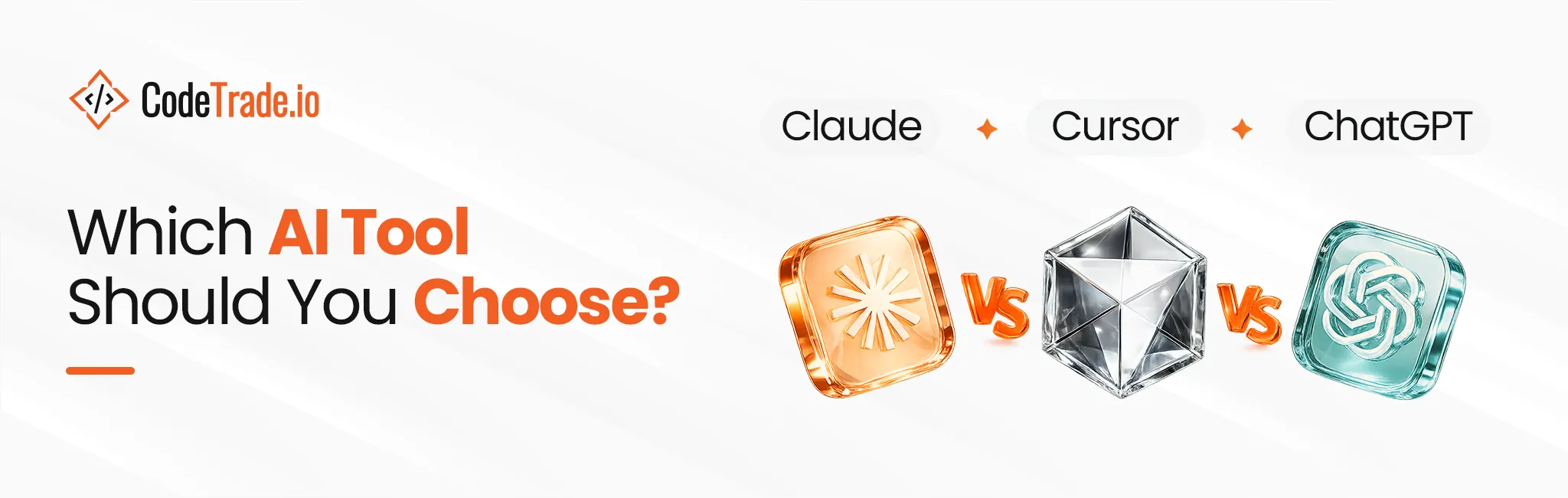
According to a Gartner report, the enterprise AI coding agent market reached an eleven billion dollar valuation by April 2026. This massive shift forces engineering teams to engage professional AI consulting services to move completely past simple conversational utilities toward deeply integrated development environments. Deciding which AI tool should you choose requires analyzing how these systems handle real-world terminal pressure and refactoring constraints.
Evaluating Claude vs Cursor vs ChatGPT allows technical decision-makers to optimize daily velocity without introducing severe technical debt. Selecting the best AI tool for coding depends entirely on your workspace infrastructure and API orchestration strategy.
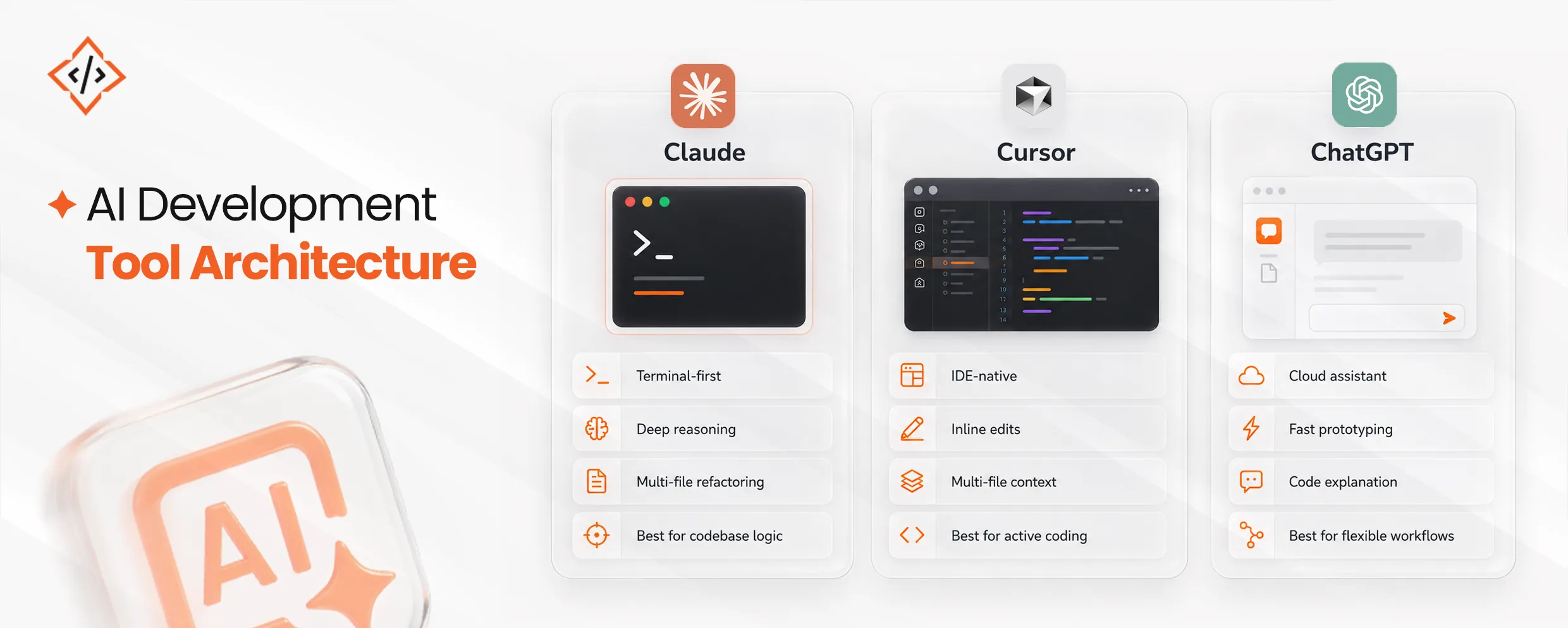
Anthropic has approached software development by moving entirely past conversational web assistants and treating the model as a direct terminal component.
The core system operates directly inside local command line environments to manage multi-file project directories. This specialized execution engine runs shell integrations and reads system repository trees natively to identify call errors before modifying code.
According to a 2026 McKinsey report, scaling these multifile coding workflows requires strategic AI agent development frameworks and meticulous context engineering to prevent structural drift. This targeted terminal indexing enables technical leads to maintain repository hygiene during complex codebase refactoring loops.
The platform runs a mandatory multi-step reasoning protocol that requires the model to pause and self-verify logic states. This algorithmic gate helps engineering leads who evaluate an objective AI tools comparison to secure highly accurate programmatic updates.
However, this rigorous analysis path generates deep token consumption over common conversational interfaces. Unmonitored recursive execution prompts can easily exhaust development budget allocations during continuous delivery cycles.
Balancing these background processing variables allows technical teams to maximize the best AI assistant for developers while avoiding sudden operational costs.
Cursor transforms the modern engineering workspace by embedding deep agentic intelligence directly into the native code editing interface.
The core strength of Cursor centers on Composer along with its local background predictive mechanisms. Software engineers build comprehensive features directly inside their active code canvas instead of running manual terminal command queries.
The underlying system constantly evaluates file tabs, open tabs and local git diffs to generate structural modifications. Recent 2026 data indicates this in-IDE framework achieves an impressive seventy-two percent code completion acceptance rate during complex operations.
This deep awareness helps engineering teams utilizing enterprise AI development services to completely eliminate manual copy-paste context errors while editing ten or more files simultaneously.
The standout element of Cursor is the complete absence of strict model vendor lock-in. The flexible user interface allows technical teams to rapidly switch alternative background models depending on task complexity.
Developers run specialized reasoning engines like OpenAI o1 for heavy back-end data validations within their workspace environment. They instantly toggle back to Claude variants for designing interactive user experience front-end components.
This versatile approach ensures development teams maintain full control over architectural execution profiles without leaving their primary text editor.
OpenAI continues to hold a substantial presence in corporate infrastructure environments by evolving its primary underlying conversational model capabilities.
Unlike local command line configurations that execute operations exclusively on your machine, developer-focused cloud instances provision isolated cloud-hosted execution environments. This strategy allows the integrated system to execute scripts and verify complex runtime tracking loops completely in the background.
According to a 2026 Master of Code operational study, sixty-three percent of software developers consistently implement these scalable background cloud platforms to optimize routine script execution. Processing heavy datasets or tracking massive system logs through sandboxed execution ensures backend operations progress smoothly without draining local system hardware resources.
When technical teams construct initial greenfield project architecture or resolve highly complex math puzzles, specialized reasoning models produce accurate logic sequences. However, because the system lacks a native local terminal connection to track active file structures, it demands detailed manual prompting configuration profiles.
Developers conducting a focused AI tools comparison notice that text interfaces often require structural context adjustments to prevent general logic gaps. Integrating custom configurations via the Model Context Protocol helps technical leads minimize manual data management overhead during multi-layered database schema designs.
Understanding the conceptual differences between these engines is crucial before scaling them across an engineering team.
| Architectural Vector | Claude (Claude Code) | Cursor IDE | ChatGPT (OpenAI Codex) |
|---|---|---|---|
| Primary Form Factor | Command Line Interface (CLI) / Terminal Agent | Dedicated VS Code Fork / AI-First IDE | Web Interface / Desktop & Cloud Agent |
| Context Management | Native local workspace terminal indexing | Local multi-file active directory mapping | Isolated cloud-hosted sandboxed sessions |
| Model Constraints | Pure Anthropic ecosystem tracking execution | Multi-model cross-vendor toggle option | Pure OpenAI foundational network tiers |
| Optimal Use Case | Complex multi-file directory refactoring | Interactive inline autocomplete and feature editing | Rapid standalone greenfield prototyping and logic processing |
| Execution Method | Synchronous terminal-locked execution routines | Continuous active in-editor chat transformations | Asynchronous background programmatic script evaluation |
| Developer Controls | Human-in-the-loop terminal validation gates | Inline visual block diff confirmation screens | High-level interactive conversational feedback mechanisms |
| Token Utilization | Specialized minimal repository context consumption metrics | Heavy multi-file editor context payload demands | Compressed prompt caching token optimization limits |
| Infrastructure Layout | Local native developer environment orchestration layers | Desktop code workspace editing integration loops | Remote infrastructure server runtime execution nodes |
Managing immense token context windows efficiently determines whether an automated multi-file system modification succeeds or introduces severe compilation failures.
Data collected across thousands of multi-file development sessions shows that terminal agents natively designed for repository crawling are up to 5.5 times more token efficient than standard web wrappers. Because they run highly precise local indexing systems, they avoid feeding unnecessary duplicate code files back into the prompt window with every turn.
A recent 2026 JetBrains developer ecosystem audit reveals that targeted repository parsing engines maintain the highest loyalty scores due to this precise structural optimization. This data-saving logic helps software architects conduct an intense AI tools comparison to contain background communication overhead during expansive monorepo refactoring tasks.
Using local indexing mechanisms ensures your processing pipelines transmit only modified codebase snippets rather than exhausting entire resource directories. This specialized approach establishes a lean framework that consistently identifies the best AI tool for coding based on true structural data performance.
When running large-scale refactors across complex code bases, a single comprehensive request can easily consume thousands of tokens in context. Developers utilizing flat-rate plans often find their “fast request” limits depleted unexpectedly, forcing an immediate transition to pay-as-you-go setups or dealing with throttled background speeds during critical deployments.
Programmers evaluating Cursor IDE vs ChatGPT quickly realize that unmanaged background file indexing routinely exhausts fixed monthly script limits during continuous integration tracking cycles. This unexpected disruption slows feature delivery and forces engineering leads to re-examine their cloud resource provisioning strategy.
Implementing granular consumption tracking controls across development teams prevents unexpected usage caps from halting deployment schedules. Balancing these variable environment parameters allows technology leads to select the best AI assistant for developers while maintaining complete budgetary transparency.
Orchestrating a multi-layered platform infrastructure helps technology leads maintain rapid shipping cadences while completely avoiding critical codebase structural corruption.
A highly efficient and common industry pattern involves using Cursor as your primary visual workspace for day-to-day feature creation, while keeping a dedicated terminal agent open for running automated tests, summarizing Docker container logs, or conducting quick infrastructure scripting tasks.
A May 2026 Gartner global software analysis indicates fifty-one percent of professional developers now run active agentic intelligence configurations daily. Merging a visual text editor with external background terminal monitoring lines allows engineering teams to maximize development velocity. This balanced workflow combination ensures complex feature modules compile perfectly while terminal scripts manage remote server containers automatically.
This collaborative architecture helps senior developers identify the absolute best AI assistant for developers by separating high-level logic design from repetitive command operations.
The greatest risk when hopping between multiple platforms is the immediate loss of project context. To prevent your models from delivering confidently wrong suggestions, you must ensure that your local indexes, prompt caching rules, and model configurations are perfectly aligned across every interface you run.
Programmers tracking Cursor vs ChatGPT metrics emphasize that a single mismatched path index can inject legacy validation loops into production files. This breakdown quickly introduces hidden dependencies that demand hours of manual git reconciliation and debugging work.
Following a structured custom AI software development guide for enforcing centralized configuration guidelines ensures your background file parsing arrays interpret codebases uniformly across every terminal utility. This deliberate structural mapping enables development teams to operate AI productivity tools without risking sudden data isolation or deployment pipeline failures.
Selecting the ideal development utility relies entirely on matching platform architecture with your active production constraints. Terminal automation workflows thrive within Claude while in-editor feature creation maps natively to Cursor setups.
Standalone prototyping pipelines run efficiently through ChatGPT environments. Engineering leaders prioritize precise workspace context configuration to insulate systems against technical debt. Designing a balanced infrastructure stack ensures your team handles data transformations cleanly without facing sudden credit overages. Reviewing this technical AI tools comparison clarifies exactly where to deploy custom agent models. Align your pipeline choices with operational realities to sustain technical velocity over long deployment cycles.
CodeTrade provides specialized engineering support in generative AI development to help enterprises design custom agent configurations. Technical consultants evaluate repository bottlenecks and deploy targeted model pipelines that sit securely inside localized source trees. Partner with advanced development specialists to ensure structural optimization across your operational tool stack.
 Chand Prakash
 Chand Prakash
 Chand Prakash
 Chand Prakash
 Chand Prakash