






How Do You Import Invoices Into Odoo Without Manual Data Entry?
 Hardik Soni
Operational friction often builds up silently when procurement teams rely on manual outreach to manage vendor networks, though leveraging expert Odoo integration services can proactively eliminate these systemic operational bottlenecks. Fragmented bidding cycles create noticeable delays during standard Odoo RFQ Management routines, forcing buyers to constantly chase status updates over phone calls.
Implementing an enterprise-grade Odoo Vendor Portal provides a structured solution by shifting administrative ownership directly to your trading partners. This intuitive layout establishes an organized Odoo Procurement Management pipeline where suppliers upload baseline document configurations autonomously.
Bypassing cluttered email threads via a dedicated Odoo Vendor Self Service Portal minimizes data validation errors significantly. Centralizing these early purchasing communications through a stable Vendor Portal Odoo framework enables supply chain leads to focus entirely on contract strategy and cost control.
Managing supplier communications through disconnected email threads, phone calls, and isolated spreadsheets becomes highly inefficient as your supplier network expands. Internal procurement teams frequently struggle to track incoming quotes, purchase orders, and financial updates when information remains scattered across multiple channels.
For instance, a purchasing department might distribute inquiries to multiple merchants and receive responses at completely different times, complicating direct comparisons. External merchants frequently follow up to check the status of their active submissions, creating a heavy administrative workload. In some cases, suppliers inadvertently submit pricing based on outdated specifications, causing costly fulfillment errors and processing delays.
As these repetitive manual touchpoints grow, buyers spend more time managing communication instead of focusing on strategic sourcing. This systemic lack of supplier visibility results in slow procurement cycles and unnecessary administrative overhead.
The Odoo Vendor Portal Module by CodeTrade provides a centralized self-service portal that allows suppliers to access vital transaction logs directly within your ERP ecosystem. Once invited, partners can securely log in to their dashboard to view open bids, upload pricing, track purchase orders, monitor billing, and update their details from a single interface.
By providing partners with direct access to data, organizations can minimize manual communication loops, improve transparency, and streamline ongoing vendor collaboration. Internal purchasing teams continue to manage strategic approvals within Odoo, while suppliers maintain real-time visibility into active transactions without contacting internal staff for status updates.
This comprehensive Odoo Vendor Management application is highly effective for enterprises coordinating with multiple suppliers, helping to reduce communication overhead and build a faster, more organized purchasing workflow.
Getting started with the Odoo Vendor Portal Module takes just a few steps. No technical setup is needed beyond the initial installation.
Download the tool from the marketplace after purchase. Organizations upgrading from legacy platforms can utilize professional Odoo migration services to prepare their databases cleanly. Next, extract the architectural ZIP file into your custom addons directory, restart your system server, and activate the application from your core modules list with developer configurations active.
After deployment, navigate to the module parameters to manage your operational interface rules. You can establish specific conditions to auto-mark transactions as completed and customize the status messages partners view during active Odoo RFQ Management lifecycles.
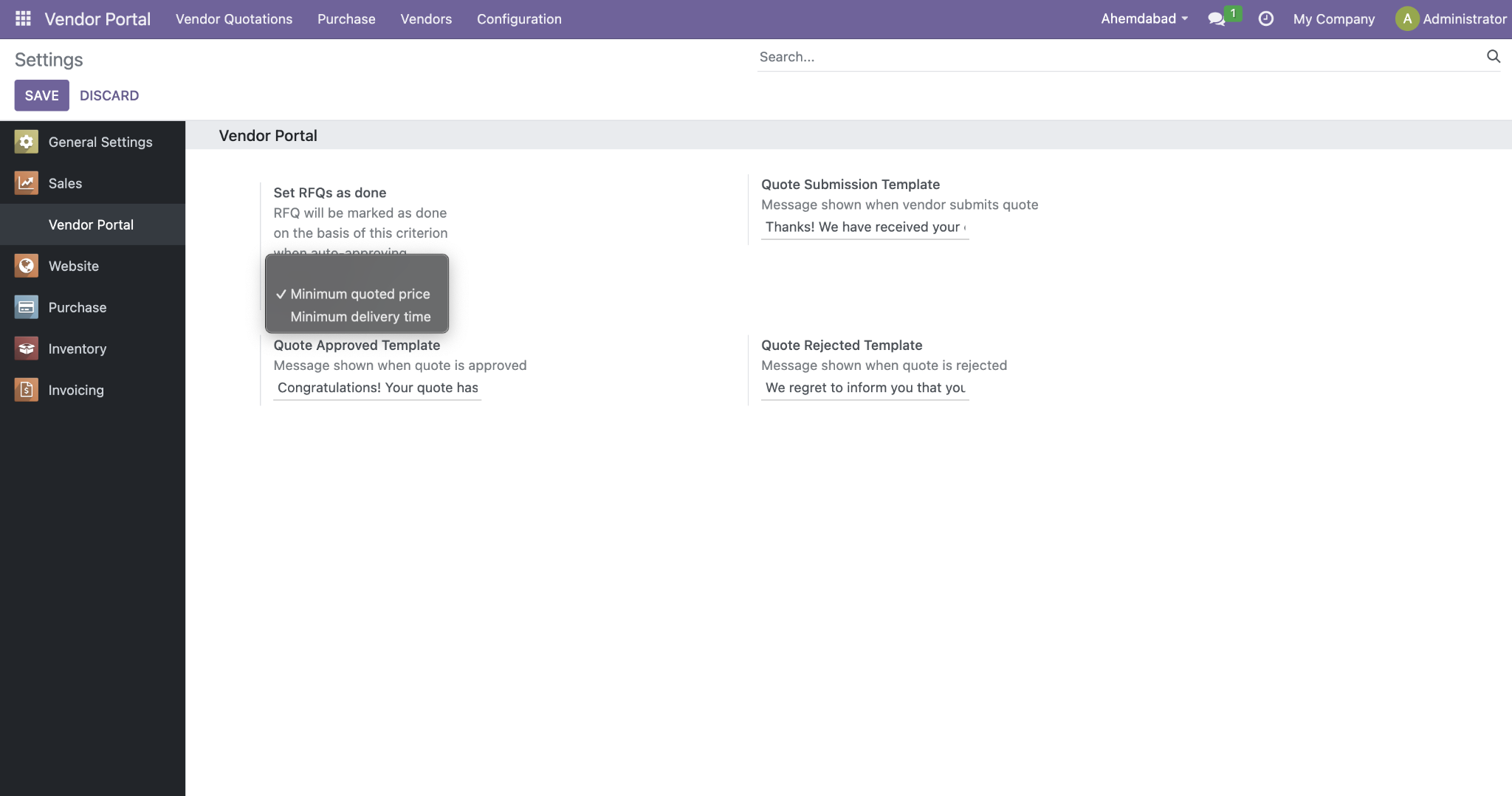
Figure 1 – Portal Settings: Configure RFQ auto-completion and vendor-facing status messages.
Below is a step-by-step walkthrough of how the Vendor Management Portal works, from registering a partner to final order processing.
From your main Contacts or partner logs inside the system, select the specific merchant you wish to invite and utilize the dropdown parameters to execute the registration. This action creates a secure external profile and initiates the standard credential setup.
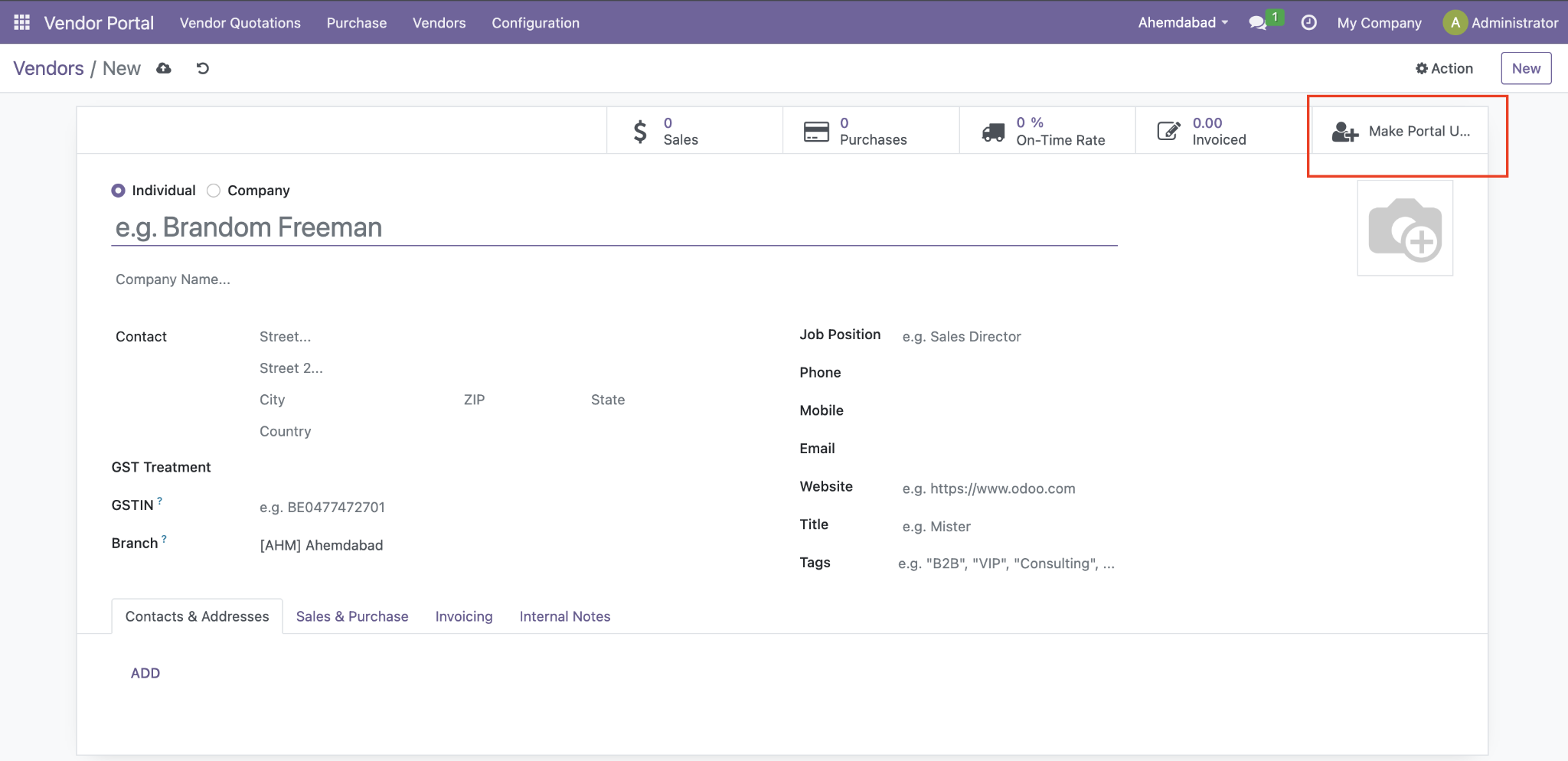
Figure 2 – Selecting a vendor and granting portal access.
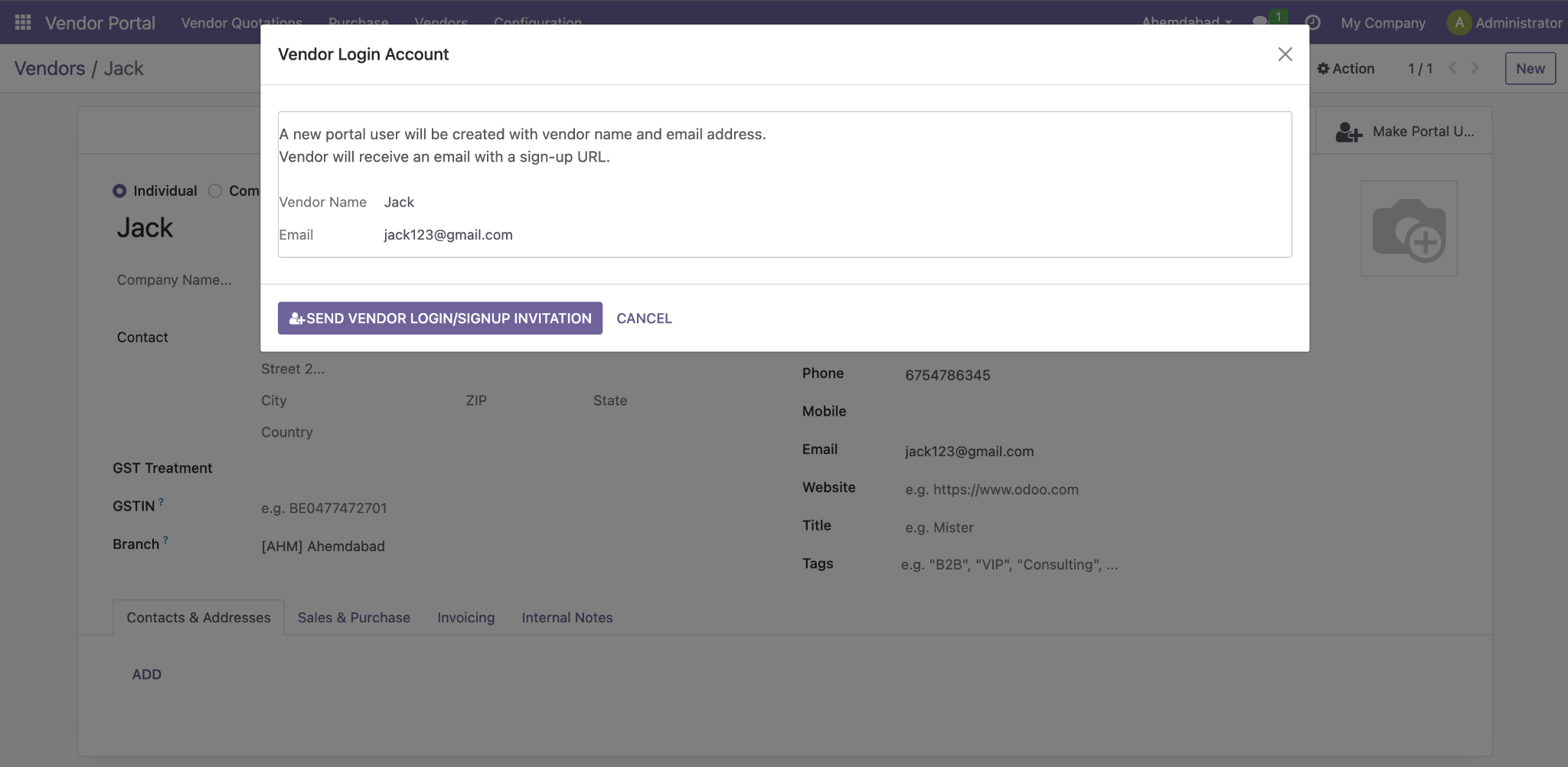
Figure 3 – The invitation link sent to the vendor to activate their portal account. This screen displays the system configuration modal that launches during deployment. The partner receives an automated notification containing this entry point to verify their profile details safely.
Once partners complete their verification step, your complete registry of active front-end system profiles becomes visible directly inside your dashboard. While engineering this visual setup might typically require extensive Odoo development services, this pre-built module delivers a complete architectural overview of authorized supplier access out of the box.
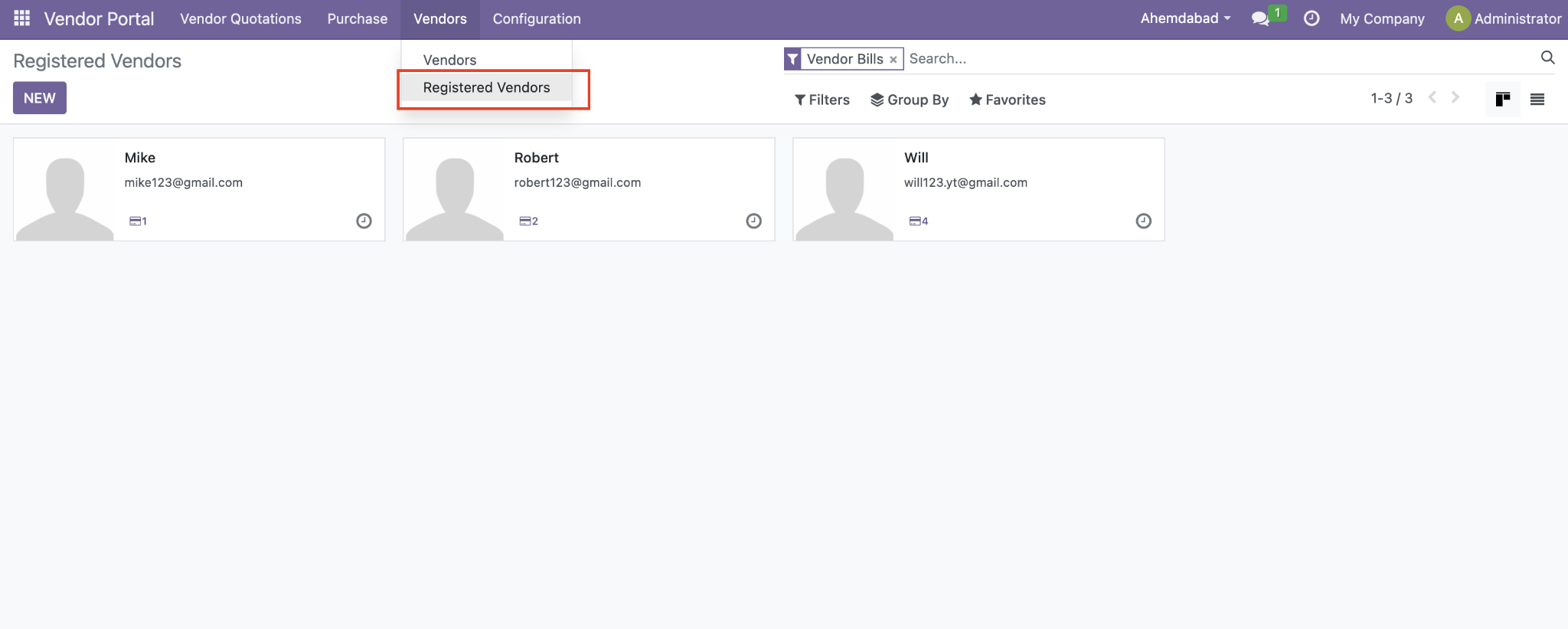
Figure 4 – List of registered vendors with active portal access.
Generate a baseline document inside your tracking dashboard as you normally would and assign the request to an onboarding merchant. The supplier instantly views this layout under their active parameters and can process responses directly.
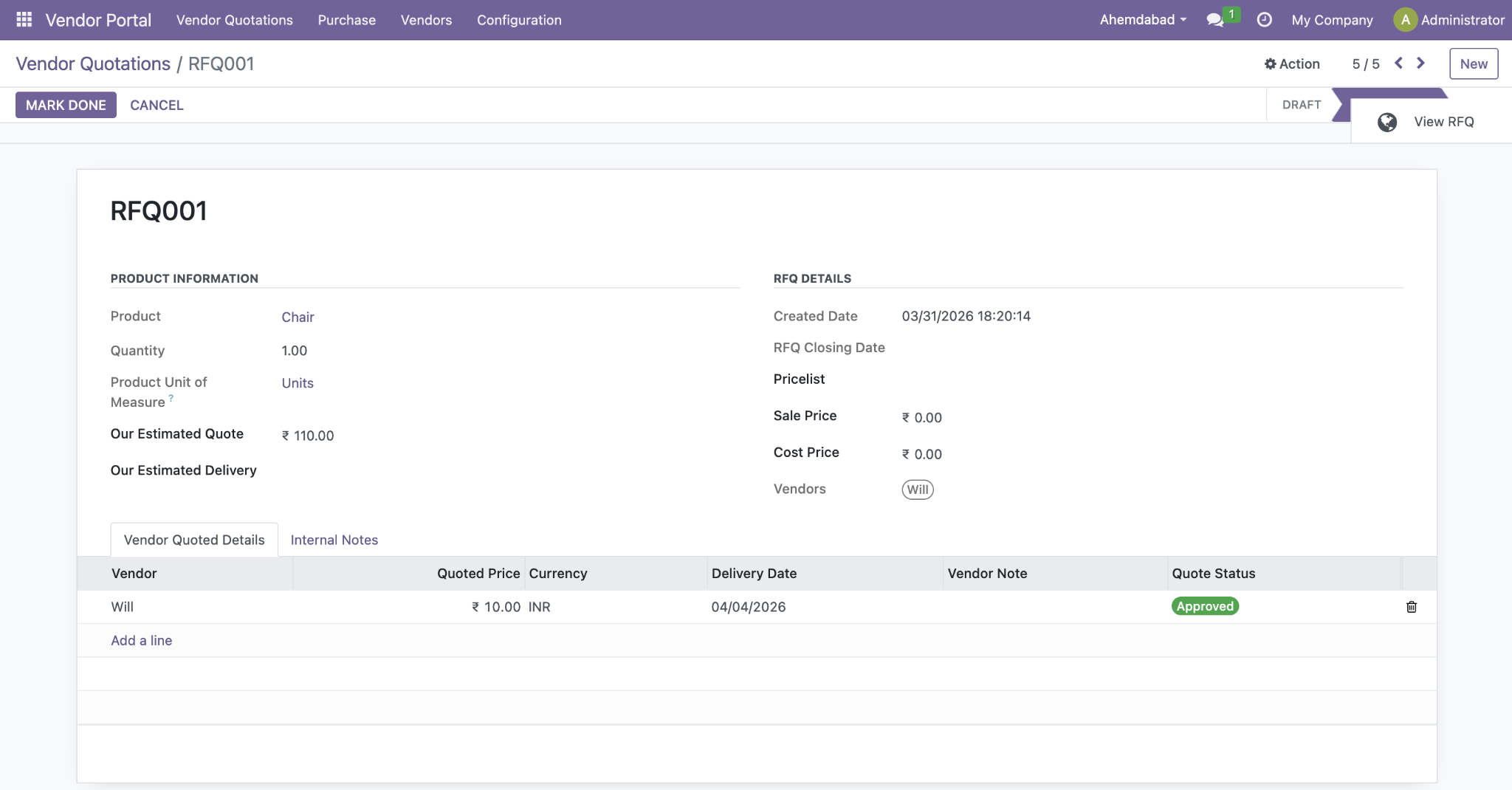
Figure 5 – Creating an RFQ and sending it to a registered portal vendor.
When an invited partner submits an allocation estimate via their workspace, the data syncs back to your dashboard instantly. This simple layout allows buyers to execute structural quote analysis and authorize optimal submissions.
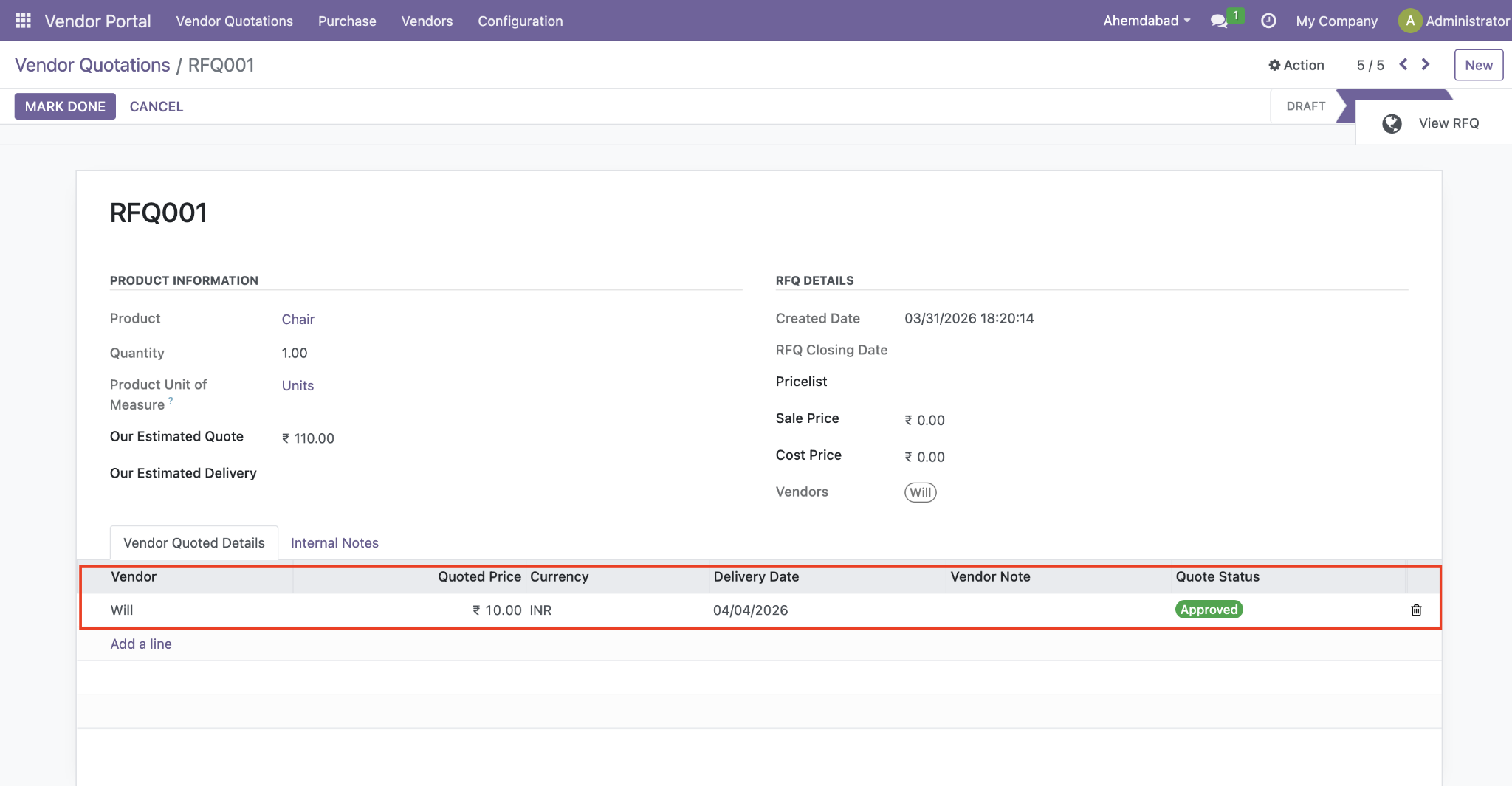
Figure 6 – Reviewing and approving vendor quotations submitted through the portal.
Once you authorize an optimal merchant proposal, complete the open transaction file to execute an integrated Odoo Purchase Order Management sequence in a single click. This action closes open bidding parameters and secures the item totals.
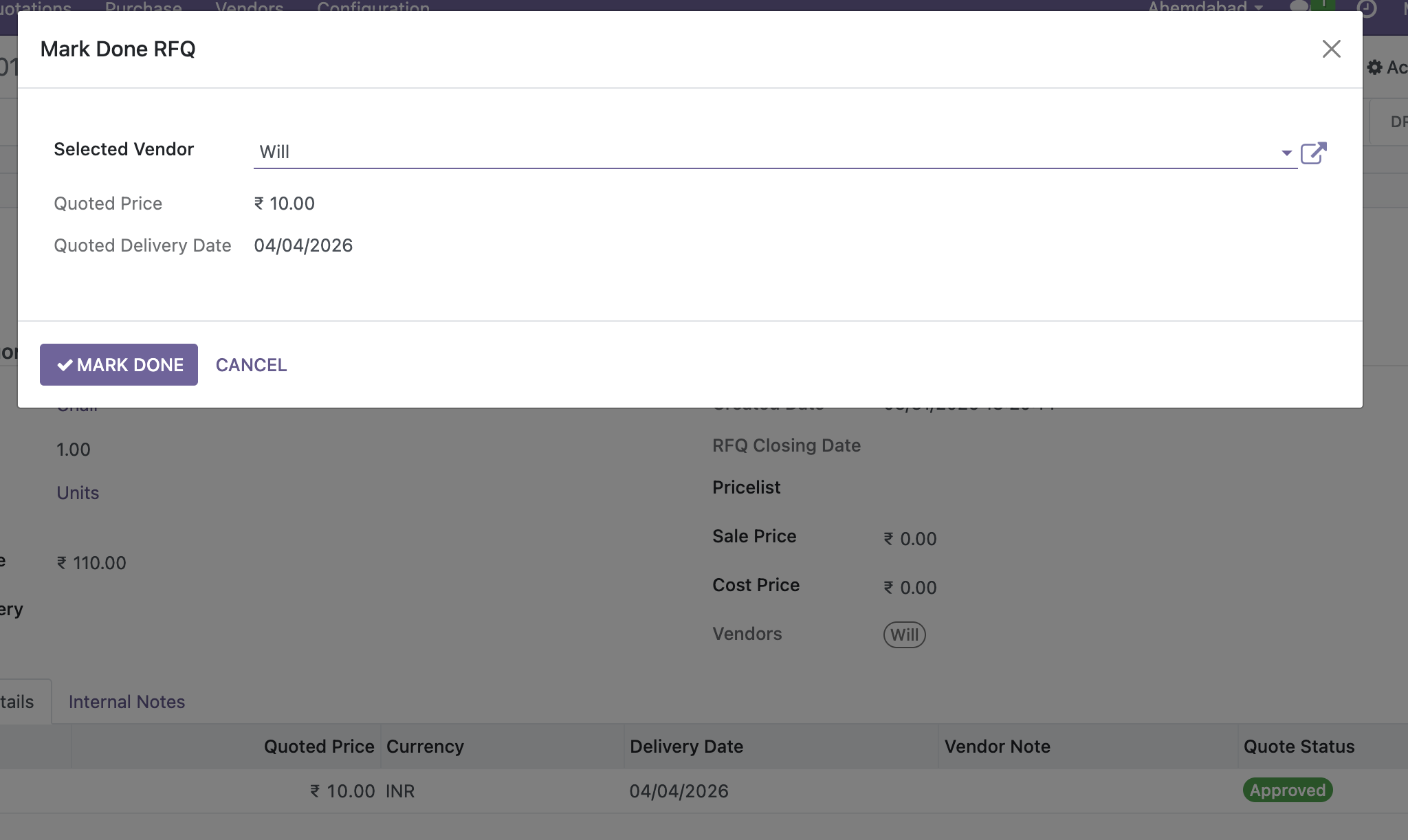
Figure 7 – Marking the winning quote as done and generating the Purchase Order. From this single entry screen, procurement teams can select specific entries and build the tracking invoice, keeping your Odoo Purchase Order Management archive completely clean and verifiable.
From the supplier interface, the platform provides an intuitive dashboard. Partners can independently inspect outstanding requests, deliver pricing updates, view financial documents, and manage balances without requesting administrative updates.
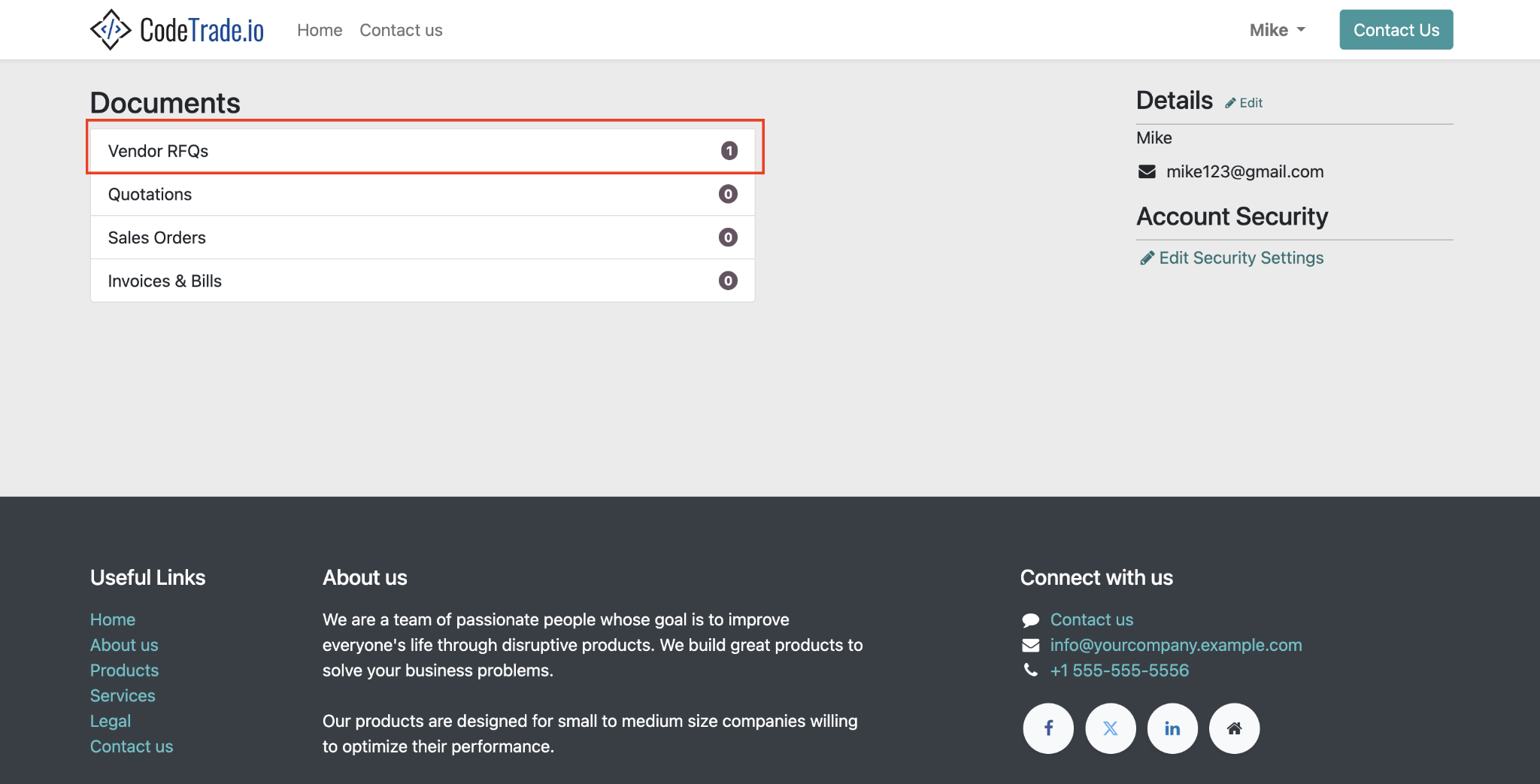
Figure 8 – The vendor portal homepage as seen by the vendor.
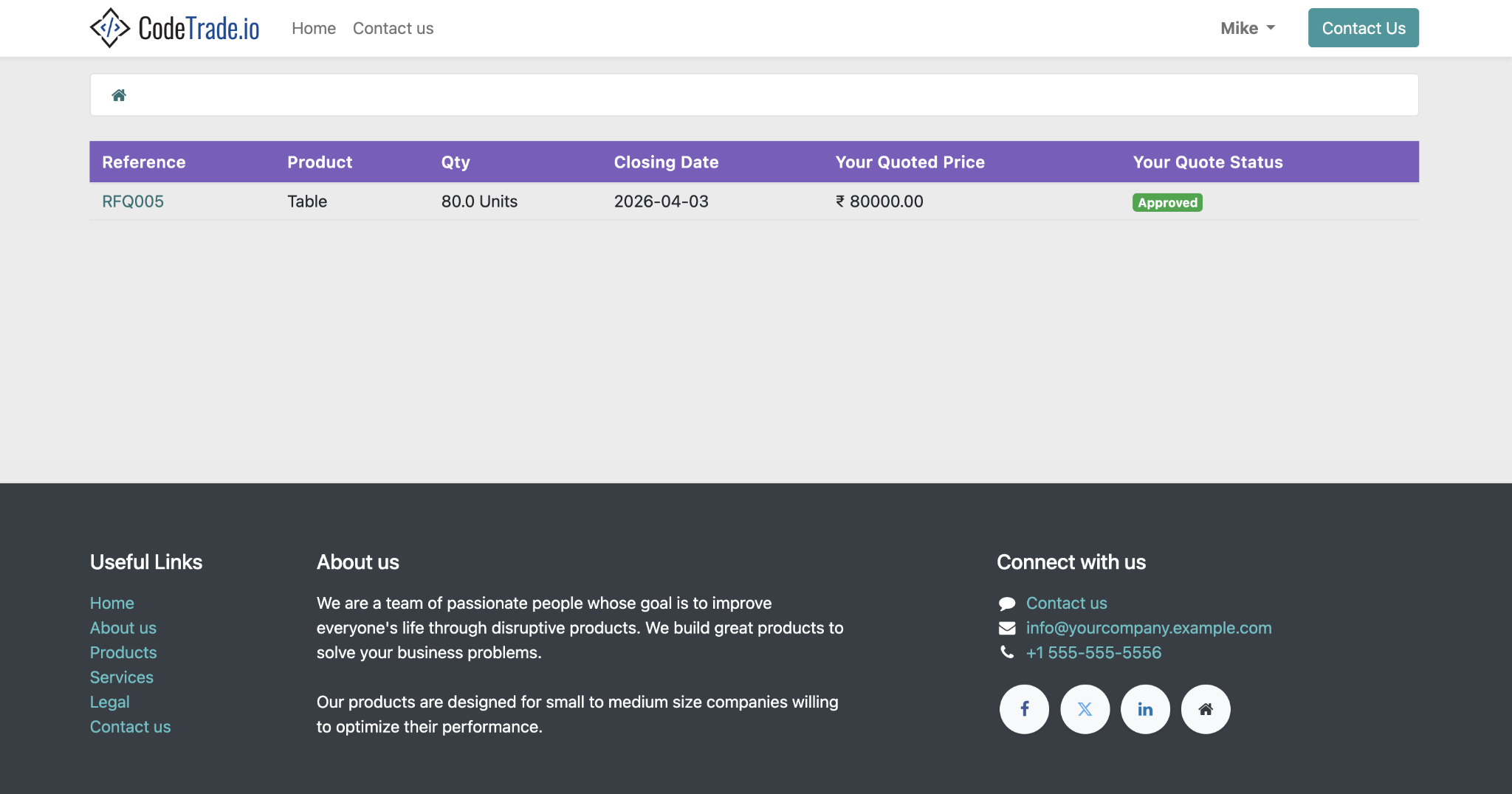
Figure 9 – Vendor viewing and responding to an RFQ from their portal. Suppliers can launch active requests directly from their workspace, review structural line items, and finalize pricing logs on a unified sub-screen.
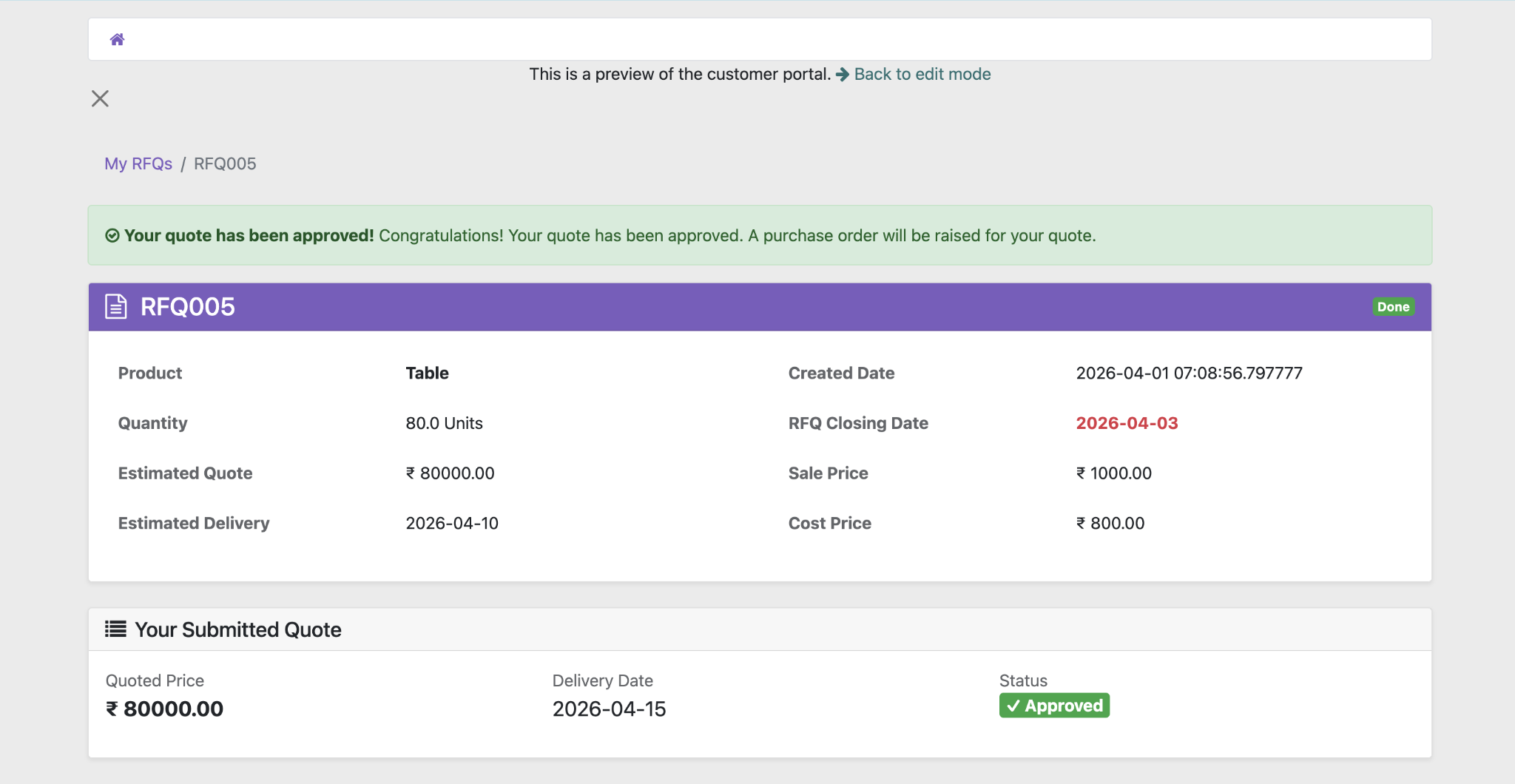
Figure 10 – Vendor tracking Purchase Orders and Bills in the portal. Partners can easily track outstanding product shipping indicators and open billing balances inside the workspace, verifying settlement metrics without launching endless email threads.
This advanced collaboration module modernizes downstream supply chain touchpoints through a secure, self-service functional layout.
The application provides suppliers with a secure workspace where they can track corporate communications, procurement files, and financial invoices seamlessly. Instead of launching offline tracking routines to inspect transaction metrics, partners log in to monitor relevant updates on a unified layout. This improves processing visibility and minimizes repetitive logistical follow-ups for your administrative department.
Merchants can easily update their organizational records directly from the front-end dashboard, managing active contact registries and core business details independently. This functional capability guarantees your backend master database remains completely accurate while removing the administrative burden of running manual updates by internal personnel.
When buyers distribute active product requests, merchants can easily inspect them inside the workspace and upload formal estimates instantly. Centralizing your entire commercial bidding timeline within the system simplifies structural comparison matrices while maximizing downstream transactional efficiency.
Suppliers can easily follow the status of confirmed procurement requests and outstanding logistical metrics through their personalized control interface. Providing your supply chain network with real-time operational transparency minimizes manual verification loops and establishes a highly responsive procurement framework.
Watch the product demonstration below to see the complete application workflow in action, showcasing everything from initial profile invitation to real-time order tracking.
The detailed overview covers how internal purchasing managers dispatch transaction documents, review incoming supplier quotes, and authorize final procurement requests, while demonstrating the exact interface visible to external trading partners.
Transitioning away from fragmented manual follow ups helps secure the integrity of core purchasing pipelines. Deploying the Odoo Vendor Portal Module introduces structural transparency by centralizing business communication directly inside your operational ecosystem.
Suppliers independently update business records and submit bidding estimates through a unified platform layout. Deploying tailored Odoo customization services ensures these functional views match your specific corporate brand identity perfectly. Eliminating scattered offline documentation paths establishes real time transparency across global merchant networks.
Transitioning to a secure Odoo Supplier Portal prevents double entries and stabilizes transaction workflows for growing companies. Connect with the technical consulting team at CodeTrade to optimize your current Odoo Vendor Management system setup immediately.

 Hardik Soni
 Chand Prakash
 Hardik Soni
 Hardik Soni
 Hardik Soni