






How to Manage Odoo Purchase Advance Payment Automatically?
 Hardik Soni
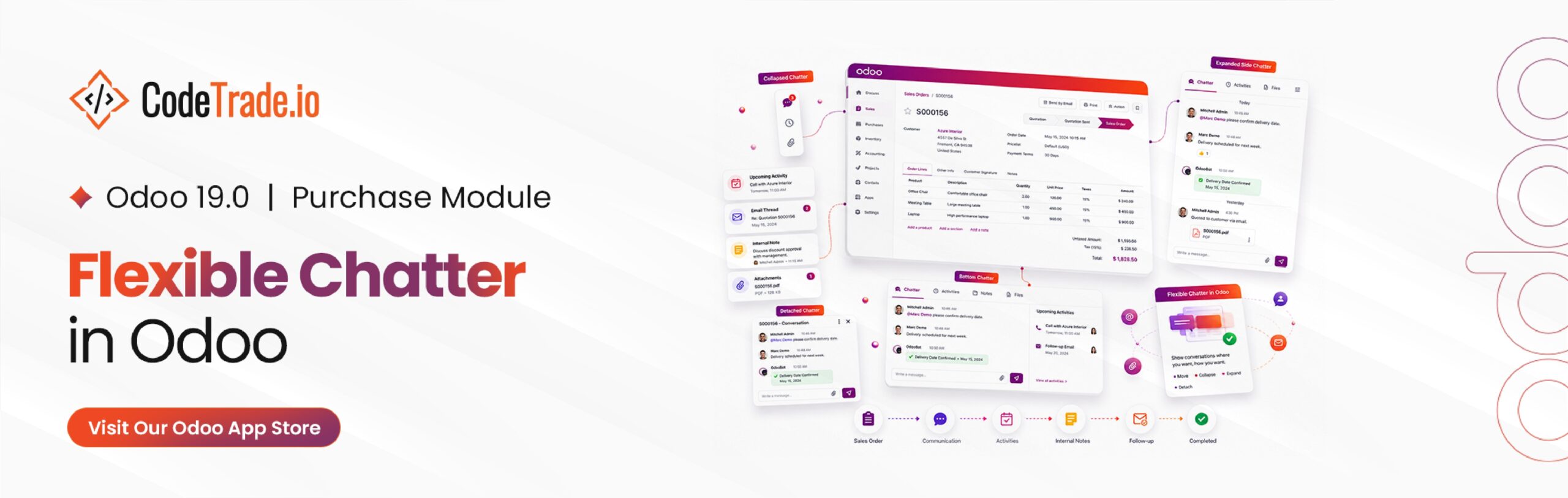
Managing data-heavy records in Odoo often becomes difficult when communication threads crowd your screen. Standard layouts place activities and notes in a fixed panel. This default setup frequently forces extensive scrolling, which is why businesses often seek tailored Odoo customization services to optimize room for tracking complex line items.
Implementing strategic Odoo Chatter Customization helps teams reclaim valuable screen real estate instantly. Sales representatives, accountants, and project managers can tailor their specific views based on active daily assignments. Using an advanced Odoo UI Enhancement Module resolves these visibility issues by introducing flexible, user-defined layout controls.
Administrators can easily deploy these layout changes to establish an optimized corporate interface. This targeted structural improvement directly simplifies manual record entries and removes unnecessary daily workspace friction.
Standard software interfaces frequently force employees to navigate a static, rigid communication feed. This responsive Odoo Productivity Module shifts that dynamic by enabling fluid Odoo Workspace Customization to match individual employee roles.
Workers can easily control where the conversation history rests, how much screen space it consumes, and whether it remains visible. Implementing this structural change allows your team leads to optimize their primary data tracking screens to suit their daily tasks:
Deploying an Odoo Adjustable Chatter framework makes all these layout options available instantly without altering your core software codebase.
The Odoo Flexible Chatter module is a targeted Odoo User Experience Enhancement designed to give teams complete layout control across the ERP platform. This system-wide utility establishes dedicated Odoo Chatter Management capabilities that dynamically adjust to specific department requirements. The tool integrates directly into essential database components, including:
Following installation, the software utilizes these specialized settings to modify how logs and activity trackers populate on screen. The goal is to maximize interface clarity without stripping away the essential team communication histories that operations require daily.
Configuring these adaptive workspace options takes only a few minutes and requires no advanced technical database modifications.
Start by installing the Flexible Chatter module directly from your main application dashboard. Once this step is complete, these advanced UI updates integrate cleanly with native Odoo 19 features to streamline individual employee profiles automatically.
Navigate directly to your internal user configuration settings. Because these layouts register at an individual level, every employee can establish distinct parameters that match their personal department tasks perfectly.
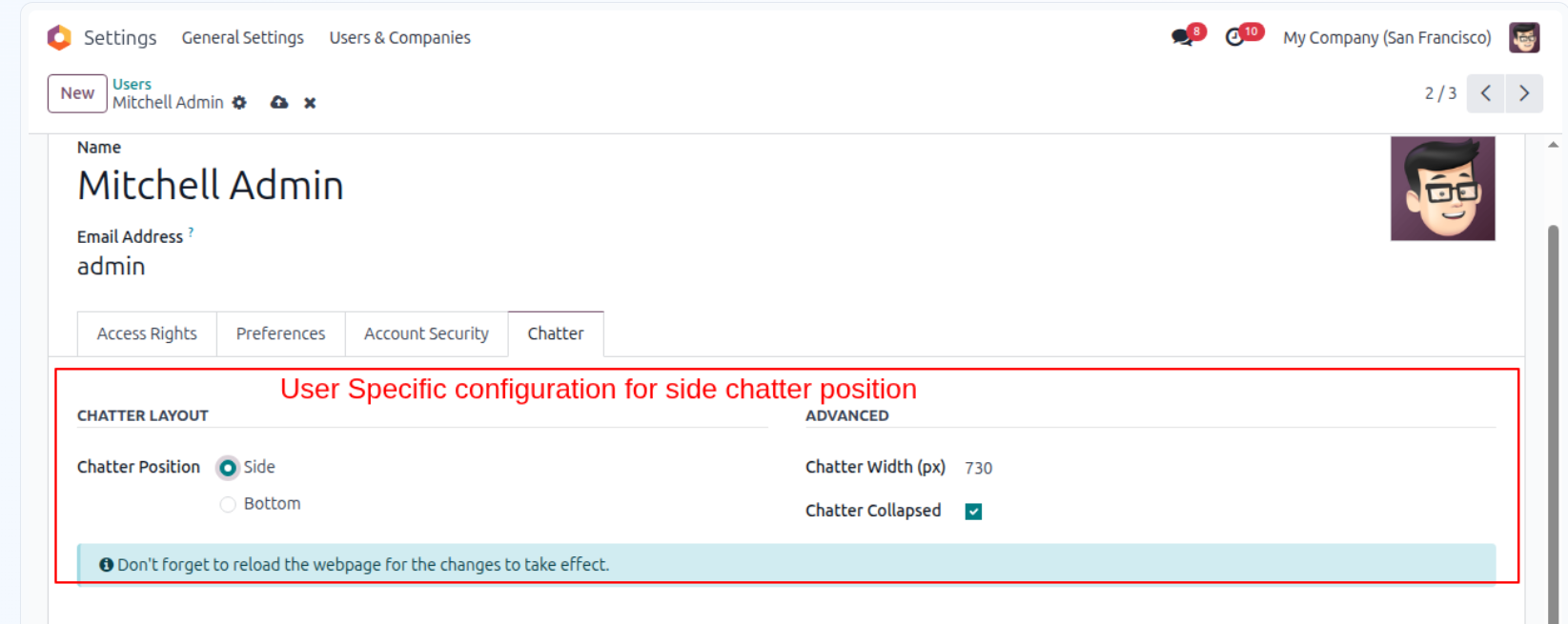
Employees can quickly designate where the Odoo Communication Panel displays during active operations.
Side & Bottom Chatter toggle position:
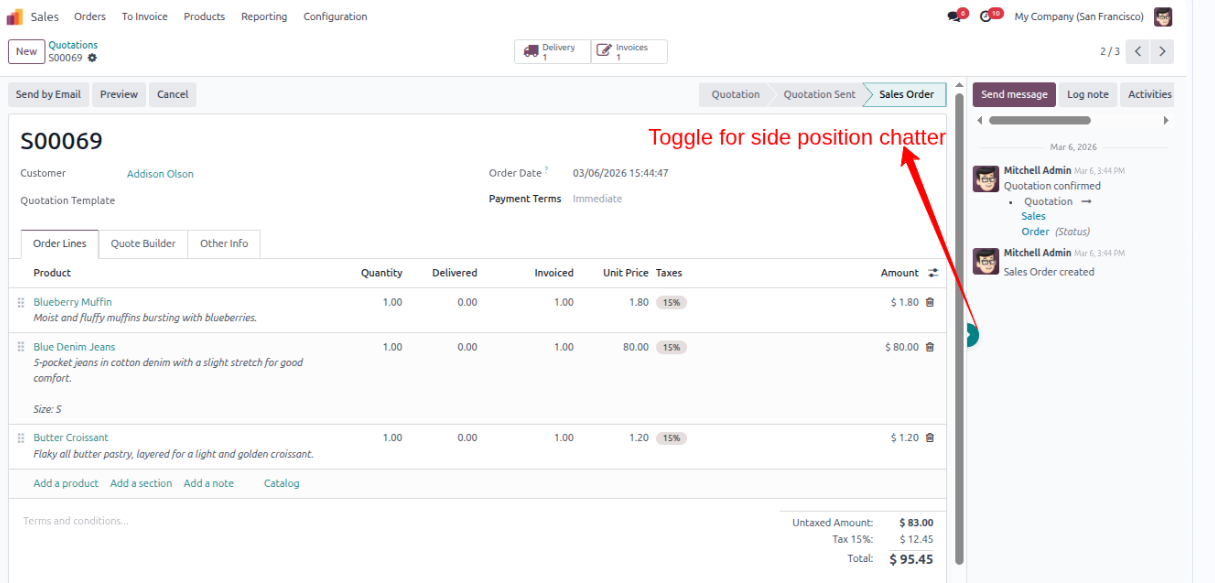
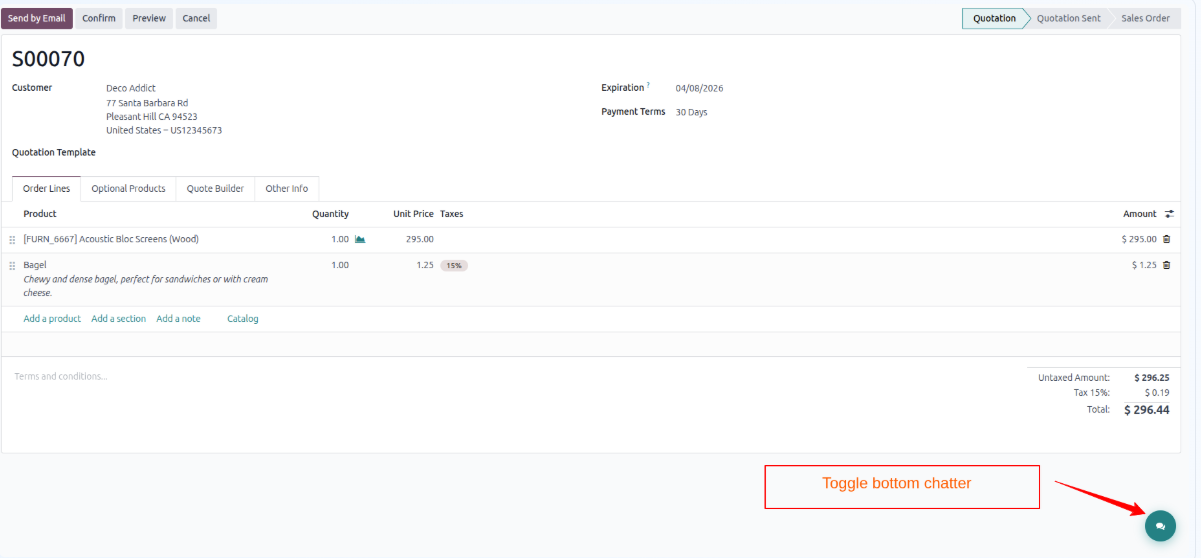
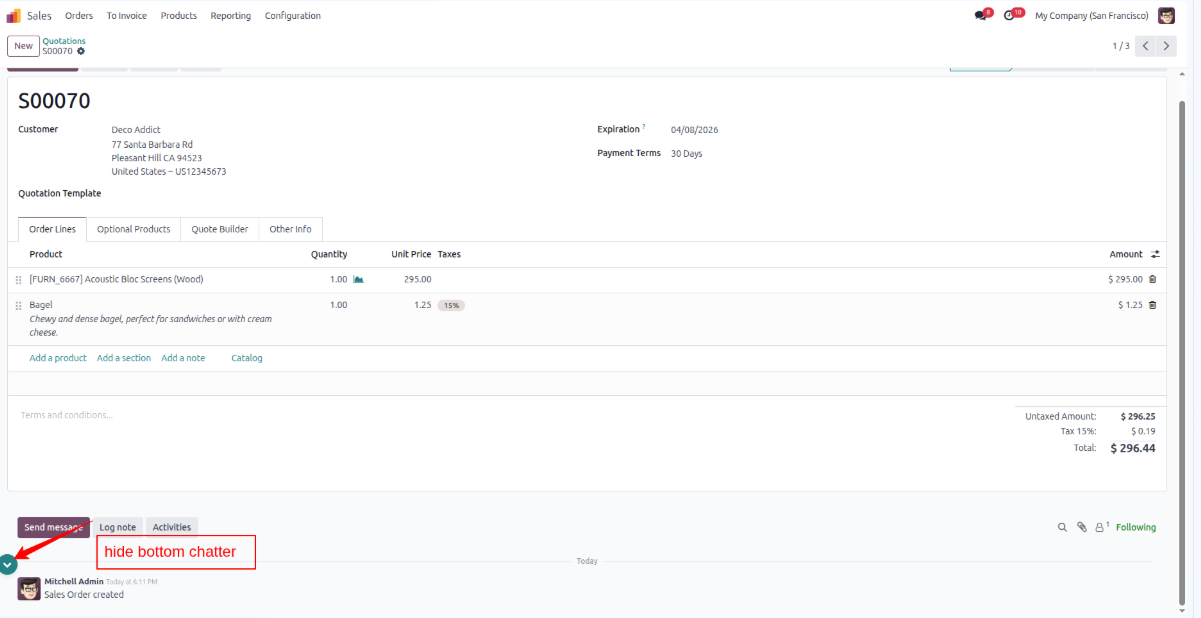
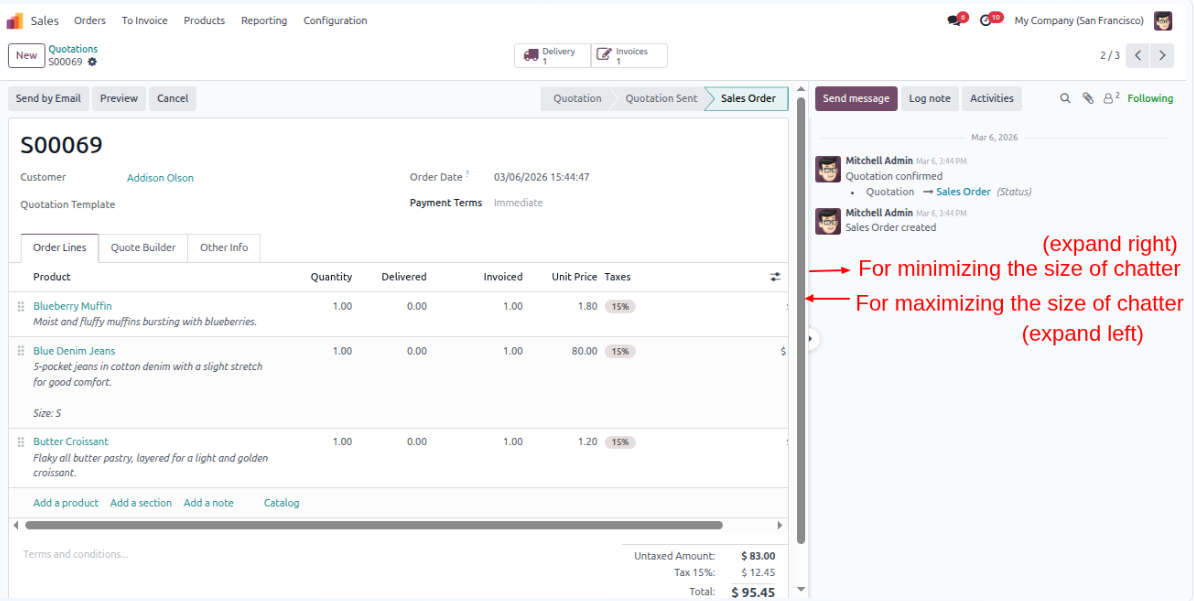
Once you click save, the chosen interface modifications apply to your active windows immediately. This platform upgrade also enables dynamic Odoo Chatter Resizing so you can click and drag the divider panel at any moment. This structural flexibility lets employees expand discussions during deep communication reviews or shrink the columns down when they need to focus completely on long data tables.
Reading about a feature is helpful, but watching it handle live data entries provides true functional clarity. Explore our short system overview to observe how a dynamic Odoo Communication Panel operates during active administrative tasks.
This utility introduces several intuitive interface tools designed to align platform visibility with daily operational desk requirements.
Not everyone manages assignments the same way. Utilizing localized Odoo User Preferences ensures each employee controls their personal dashboard layout without altering the screen settings of other system users. A sales representative can work with vertical columns while an internal accountant utilizes a horizontal base layout so everyone enjoys an optimized experience.
Balancing technical data entry with real-time updates requires flexible screen layouts. The built-in side chatter toggle lets employees move between deep document analysis and communication history with a single click, meaning you can open critical message logs instantly without exiting your active document windows.
When executing an Odoo Side Chatter alignment, team members read historical logs and manage pending tasks alongside active data entries. This side-by-side positioning eliminates the need to jump between separate module tabs, ensuring your managers retain perfect operational context on a single screen.
Different business conversations require varying amounts of screen space. Rather than sticking to standard dimensions, this enhancement supports manual Odoo Chatter Resizing by simply clicking and dragging the panel margin. You can expand the column to read complex threads or shrink it to focus on long inventory tables.
For operational teams who frequently review long external message logs, an Odoo Bottom Chatter layout provides a spacious alternative. The text feed expands horizontally across the base of your monitor to make dense corporate discussions easier to read during customer support or project tracking assessments.
When data entry requires absolute concentration, communication logs can become a distraction. This tool lets teams utilize Odoo Collapsible Chatter functions to close the tracking space entirely, freeing up maximum room for editing massive purchase lines or supplier invoice grids before restoring the feed instantly.
The primary advantage of deploying this Odoo User Experience Enhancement centers on refining how your staff interacts with daily business data. By granting employees direct Odoo Chatter Position Control, organizations establish a much more balanced and comfortable operational environment:
Optimizing your ERP interface does not require changing your entire business logic. Implementing a dedicated Odoo UI Enhancement Module provides immediate relief from screen clutter. Giving individual employees direct Odoo Chatter Position Control transforms how daily operations handle complex records.
Sales teams and accountants can instantly switch between an expanded Odoo Side Chatter view and a full horizontal layout. This flexible tool ensures that key notes remain accessible without obstructing critical inventory line items or invoice fields.
Investing in strategic Odoo app development projects enhances overall user satisfaction across every department.
Custom layout adjustments reduce repetitive data scrolling and prevent employee screen fatigue. Organizations can deploy these simple Odoo User Preferences updates to establish a refined, distraction-free environment.

 Hardik Soni
 Chand Prakash
 Hardik Soni
 Chand Prakash
 Hardik Soni