






How to Manage Odoo Purchase Advance Payment Automatically?
 Hardik Soni
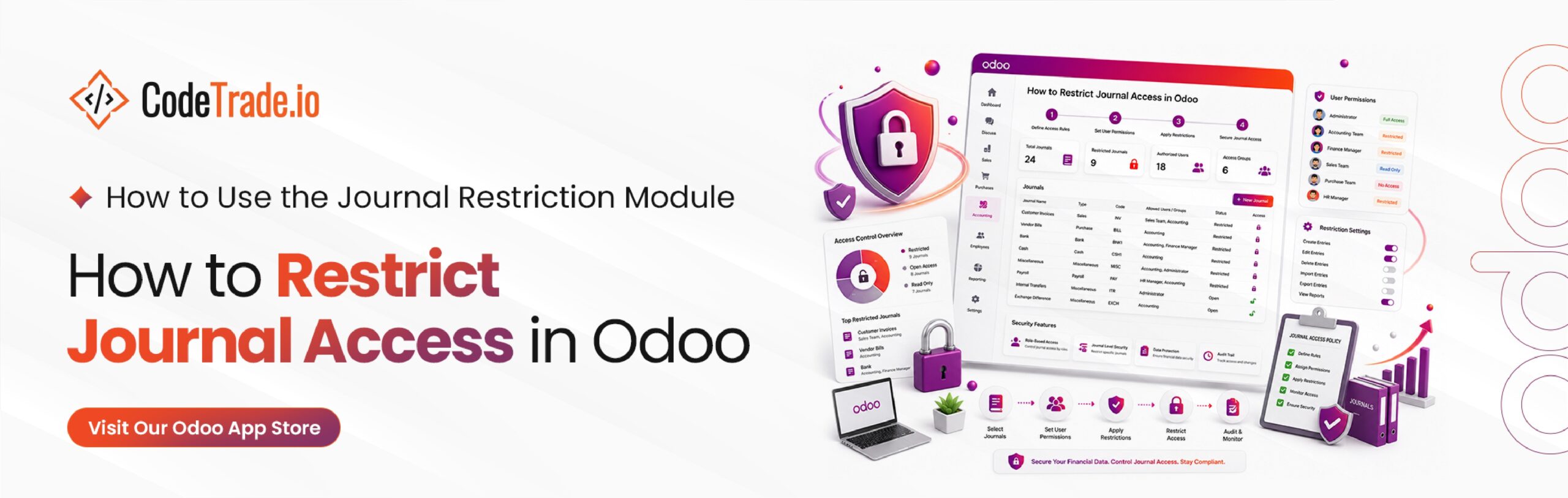
Managing sensitive general ledger segments requires robust parameters to prevent structural data exposure across your corporate finance divisions. Standard system configurations typically grant broad ledger visibility to all database operators with general financial permissions. When planning an Odoo ERP implementation, leaving multi-departmental transaction registers completely open introduces clear operational hazards.
Unrestricted ledger access frequently causes junior clerks to accidentally post operational items into incorrect corporate tracking accounts. Implementing a dedicated Odoo Journal Restriction Module establishes complete, role-based oversight by isolating sensitive cash, bank, or vendor balances entirely.
This strategic Odoo Journal Access Control mechanism ensures personnel only interact with the explicit billing registers matching their daily operational responsibilities. Tightening these internal ledger views builds an exceptionally resilient environment for maintaining long-term Odoo Financial Data Security.
Standard ledger configurations typically grant broad visibility to every database operator with general financial permissions. This open architecture presents serious operational hurdles when managing multi-departmental transaction registers across large accounting teams. Leaving general ledgers unmonitored allows sensitive financial information to become visible to unauthorized users, compromising your core Odoo Accounting Security.
Furthermore, employees can easily make entry mistakes by accidentally creating transactions in the wrong journal. Without granular controls, organizations struggle to implement proper Odoo Internal Financial Controls and maintain a clear segregation of duties.
Deploying a dedicated Odoo Journal Restriction Module resolves these systemic challenges entirely. System administrators can configure precise user access parameters to restrict ledger visibility based on specific employee roles. This focused setup ensures staff members only work with permitted financial accounts, reducing transactional errors while protecting your data.
The module provides a simple and flexible way to manage journal-level permissions in Odoo Accounting.
Administrators can assign journals directly to users or assign users directly to journals. Once configured, the system enforces strict Odoo Journal Access Control across the entire accounting environment.
Users will only be able to:
The platform also applies automatic Odoo Accounting Dashboard Filtering to ensure users only see journals that belong to them. For organizations handling confidential financial information, this utility adds an extra layer of protection without requiring any complex configuration.
This targeted solution serves a wide range of corporate environments looking to strengthen their financial operating boundaries. Implementing a strict system of Odoo Journal Visibility Control helps management teams safeguard internal data integrity across all operational touchpoints.
This module is particularly useful for:
Setting up this lightweight system tool takes only a few minutes and follows standard database deployment practices. Installing the module is quick and requires no complex Odoo development services to establish robust Odoo Journal User Access limitations.
Download the module from the Odoo App Store.
Extract the downloaded ZIP file and place it in your Odoo addons directory.
Restart your Odoo server to load the module files securely.
Navigate to: Apps → Search “Journal Restriction” → Install
After installation, your new Odoo Accounting Permissions settings become available within Users and Accounting Journals.
The following walkthrough explains how to configure and use the Journal Restriction module.
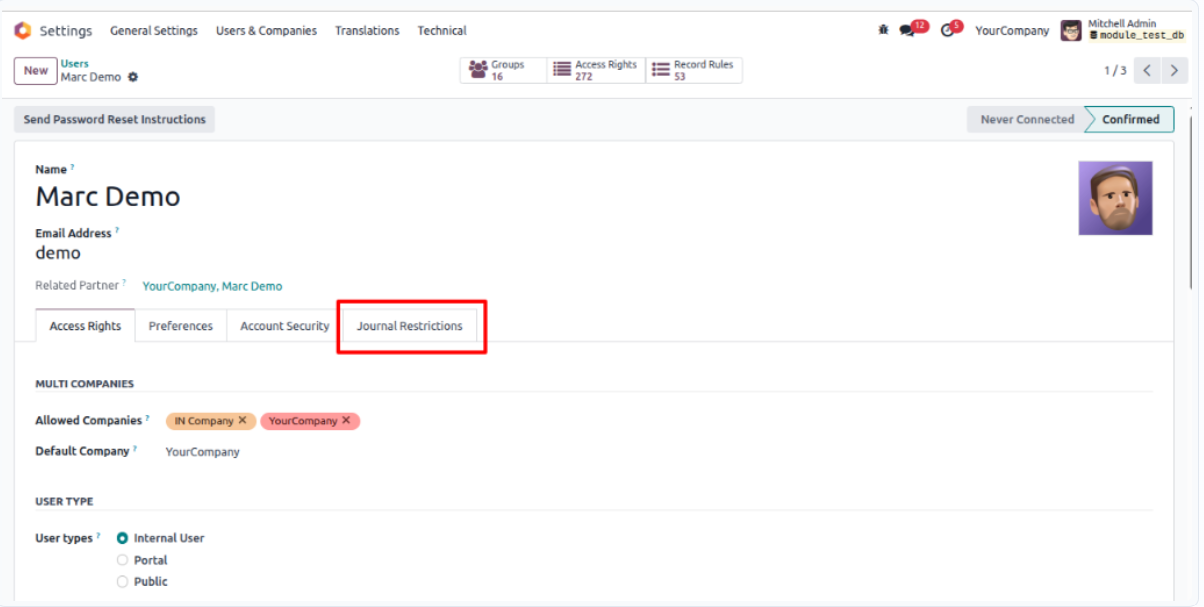
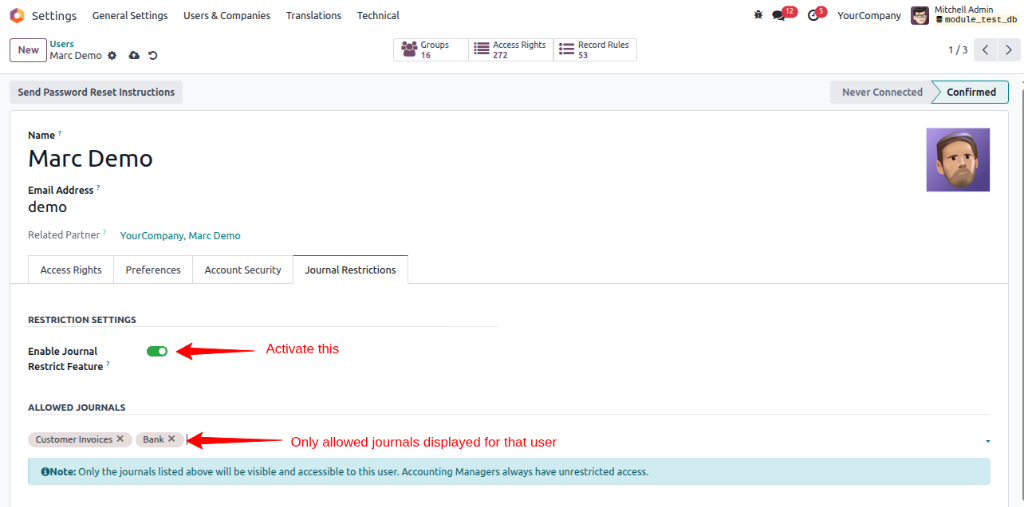
To begin, navigate to: Settings → Users & Companies → Users
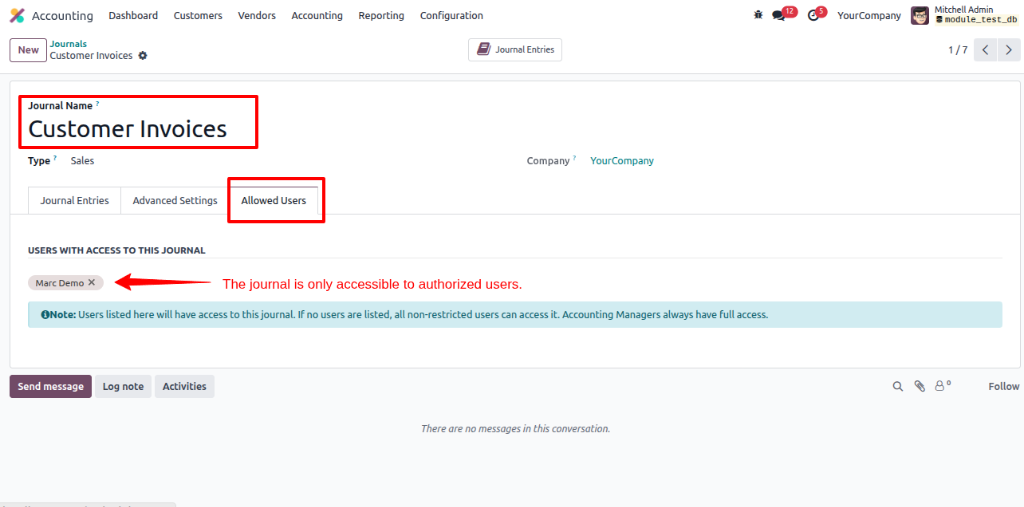
The module also allows journal permissions to be managed directly from the journal configuration. Navigate to: Accounting → Configuration → Journals
If the Journal Restrict feature is enabled but a user has not been assigned access to a journal, the system prevents them from accessing or creating records related to that journal.
The system cleans your workspace dynamically to remove unauthorized ledger views instantly based on individual profile rights.
This robust system utility delivers specialized security components designed to optimize financial data protection across your company.
Assign journals directly to users and ensure they can only access the journals relevant to their responsibilities.
Manage permissions directly from the journal by specifying which users are allowed to access it.
Hide restricted entries from the workspace using automated Odoo Accounting Dashboard Filtering to display only authorized journals to each user.
Protect sensitive accounting information by limiting access to authorized personnel only to maximize your overall Odoo Accounting Security.
Prevent users from accidentally posting transactions in incorrect journals.
Support segregation of duties and strengthen your Odoo Internal Financial Controls across your entire organization.
The module works naturally with Odoo Accounting and Invoicing without disrupting existing workflows.
System administrators always retain complete visibility and control over all journals, regardless of restriction settings.
Managing access to accounting data is essential for maintaining financial security and operational accuracy. The Journal Restriction module by CodeTrade helps businesses control exactly who can view and use specific accounting journals in Odoo. As with all specialized Odoo custom modules, limiting journal access helps organizations protect sensitive information, reduce accounting errors, and enforce stronger internal controls.
Whether you manage a small finance team or a large accounting department, this module provides a simple and effective way to secure your accounting operations while maintaining a smooth user experience. The Journal Restriction module makes it easy to control journal visibility, strengthen internal controls, and ensure users only access the financial data they need. Explore the module today and bring greater security and accountability to your Odoo Accounting environment.
 Hardik Soni
 Chand Prakash
 Chand Prakash
 Chand Prakash
 Hardik Soni