







Odoo Development
 Hardik Soni
28 September 2026
Hardik Soni
28 September 2026
Odoo 20 AI features: what the AI agents actually do
 Hardik Soni

Every Odoo release changes something, but Odoo 19 latest version, changes how the platform feels. Screens respond quicker. Flows are cleaner. The small everyday actions that used to take extra clicks now move with less effort. It’s a series of practical upgrades stacked together across accounting, inventory, website, POS, and reporting. The kind of improvements teams notice right away, because the work starts feeling lighter.
If you want a simple, clear view of what’s new and what’s been improved, this Odoo 19 guide walks you through everything worth paying attention to, without the fluff.
If you’re looking to customize or roll out Odoo 19, CodeTrade.io’s Odoo development services are absolutely worth a try. Let’s move further to discuss the key takeaways from the Odoo 19 release you must know:
Odoo 19 introduces several brand-new capabilities that didn’t exist before. These features expand how teams handle accounting, reporting, sustainability, inventory, and analytics.
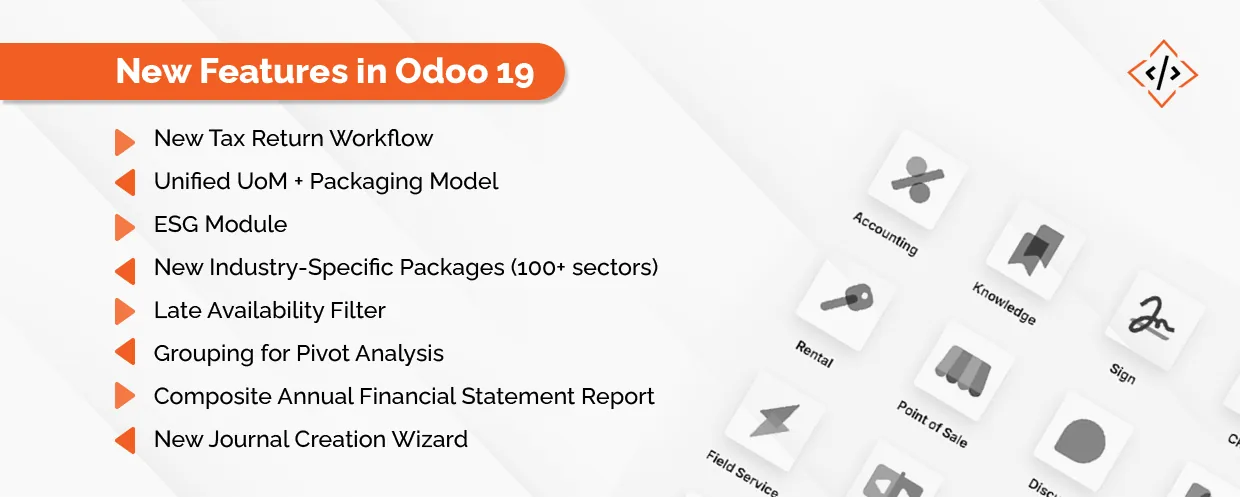
A fresh tax return system with automated validation checks. Built to cut errors and make compliance easier.
Units of Measure and packaging now live inside one simplified model. No more juggling two setups.
A brand-new app for environmental reporting and carbon footprint tracking. Great for companies moving toward sustainability goals.
Odoo added a huge library of industry templates so businesses can start faster with less customization.
A new filter that flags sales orders where incoming stock is expected after the delivery date. Helps teams prevent delays.
Advanced reporting feature allowing deeper multidimensional analysis inside pivot tables.
A new consolidated report combining balance sheet, P&L, and trial balance into one document.
A guided wizard that syncs bank and credit card accounts when creating journals. Clean, simple, and helpful for new accountants.
Let’s talk about the improvements that refine existing modules. Not new features but meaningful Odoo 19 upgrades that make daily work smoother.
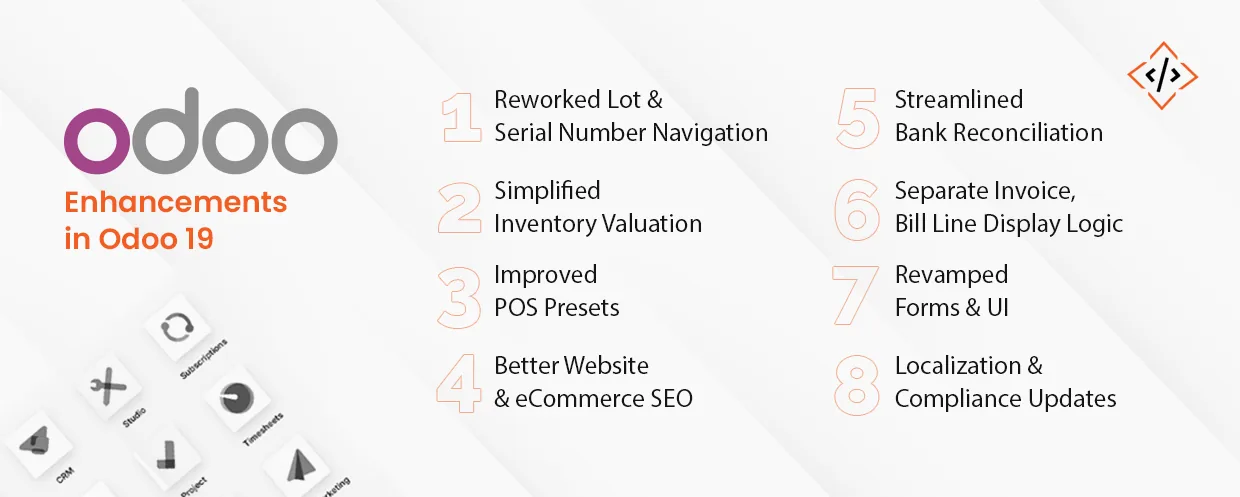
Cleaner screens and faster navigation for tracking serialized products. It reduces the back-and-forth users had to do earlier while searching or reviewing item history.
Better inventory valuation flow with support for backdating stock transfers, making reconciliation easier, and helping teams correct stock records without breaking reports.
POS now comes with ready options for dine-in, take-out, and delivery. The presets cut setup time and help new staff adapt to the system faster.
Improved metadata, pagination, and rich-snippet support for higher organic visibility. These enhancements give online stores a cleaner structure that search engines can understand more easily.
A more intuitive reconciliation interface with smarter matching rules. This means fewer mismatches, fewer clicks, and quicker monthly closing cycles.
Invoice line display settings are now stored separately for customer invoices and vendor bills. It keeps both sides consistent and avoids accidental formatting issues.
Form views, kanban, lists, and navigation have all been polished to remove friction and reduce clicks. Everyday tasks simply flow better because the interface feels less cluttered.
Updated tax configurations, fiscal positions, and accounting localizations across multiple countries. These tweaks help global teams stay compliant without needing manual adjustments.
These upgrades also give a small hint of the Odoo 19 roadmap. More speed, more automation, and fewer steps for repetitive tasks. If you’re looking for dedicated support, you can also hire Odoo developers to handle ongoing updates or custom work.
The benefits of Odoo 19 are clear the moment you start using it. Better reporting, easier compliance, cleaner inventory flows, smarter AI, and much more – all of it adds up to a system that feels lighter and faster.
And if you are thinking about upgrading, you don’t have to handle the migration stress alone. CodeTrade.io helps businesses with stress-free Odoo 19 migration. A clean upgrade, done right, so you can actually enjoy everything Odoo 19 brings.
 Hardik Soni
 Hardik Soni
 Hardik Soni
 Hardik Soni
 Hardik Soni