







Odoo Development
 Hardik Soni
22 October 2026
Hardik Soni
22 October 2026
7 signs you need Odoo Amazon integration now
 Hardik Soni
Your Odoo database probably holds years of sales orders, invoices, stock moves, and CRM activity.
Even so, a simple question from leadership, such as why margins slipped in one region, can still take days of exports and spreadsheet work to answer. The data is there. The time to interpret it is what runs short.
Odoo AI analytics closes that gap. It applies AI to the records Odoo already stores, so you can ask questions in plain language, spot patterns across apps, and move from a number to a decision faster.
Adoption is already broad: the RSM Middle Market AI Survey 2026 found that 86% of middle market organizations have integrated AI into their operations.
This guide explains how the technology works in Odoo 19 and Odoo 20, where it adds value, and how you can implement it without wasting budget.
Odoo AI analytics is the use of AI tools to query, summarize, and interpret the business data stored in Odoo. It does not replace standard reporting. Instead, it sits on top of it and shortens the path from raw records to a clear answer.
It helps to see Odoo reporting and analytics as three layers:
Most businesses already have the first two layers. Odoo business intelligence becomes far more useful once the third layer is added, because your team no longer has to build a new report for every new question.
AI analysis works best on connected, structured data, and that is exactly what an ERP produces.
In Odoo, a single sales order links to a customer, a product, a warehouse, an invoice, and a payment. As a result, an AI tool can follow those links and answer questions that cross departments.
Consider a common example. Revenue looks stable overall, yet one product line keeps going out of stock while another sits unsold. A sales report alone will not show this. However, when Odoo ERP data analytics reads sales history alongside inventory movements, the mismatch becomes obvious within minutes.
Because Odoo records transactions as they happen, the data is also current. That means you can catch a problem while there is still time to act, rather than reading about it in a month-end review.
The AI story in Odoo moved quickly across two releases, and the difference matters for how you plan analytics.
Odoo 19 AI features brought AI into daily work for the first time at scale:
Odoo 20, unveiled at Odoo Experience 2026 in Brussels, shifts AI from a chat window into the background. Agents can now run inside automated and scheduled actions, so an agent can review receivables without anyone asking.
Before writing changes, it shows a confirmation card, and every run is logged for review. Odoo 20 also supports Model Context Protocol (MCP), which lets external AI tools connect directly to your database.
For a closer look at agents, MCP, and pricing, see this breakdown of Odoo 20 AI features. One practical point stands out for budgeting: every AI feature in Odoo consumes prepaid IAP credits, which are bought separately from user licenses.
AI-powered Odoo analytics is most useful where questions cut across several apps. Here is where you will typically see results first:
In each case, the output is a pointer, not a verdict. The AI shows you where to look, and the people who know the business decide what to do.
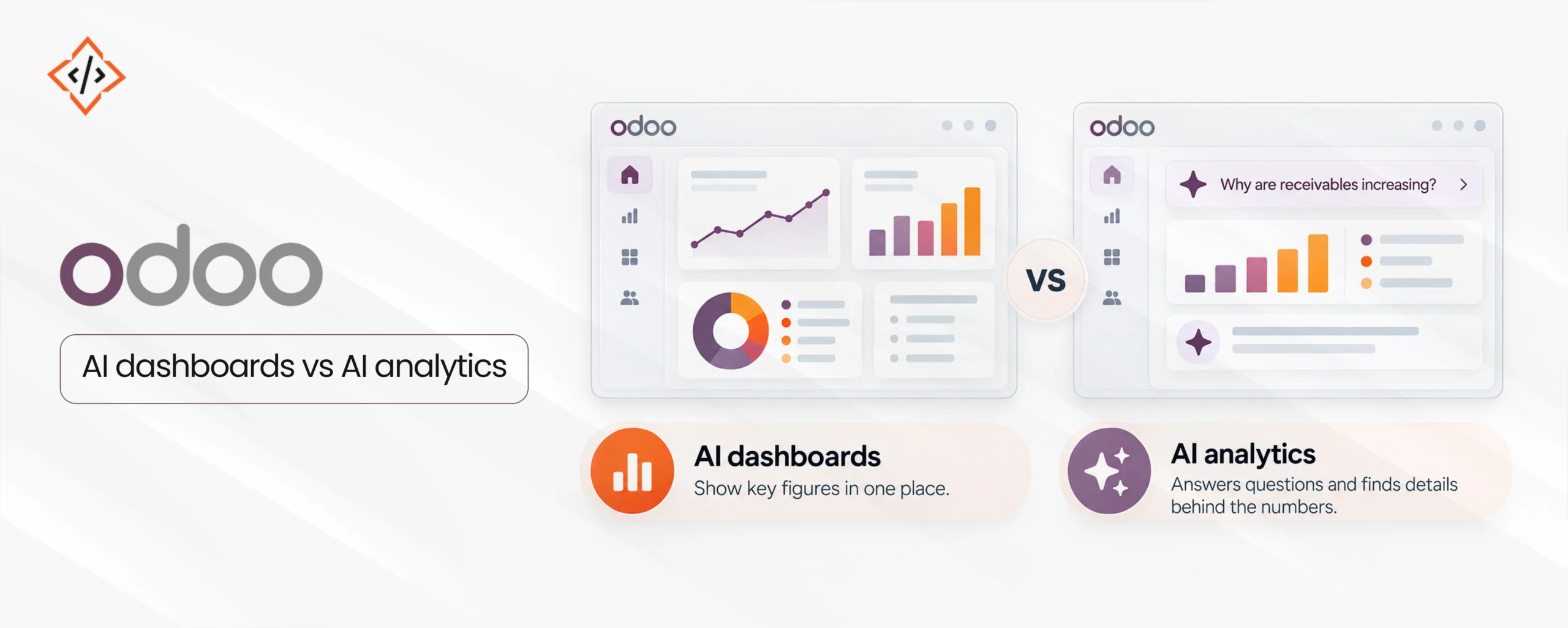
Dashboards and AI analytics are often confused, yet they do different jobs. A dashboard shows a fixed set of figures in one place. AI analytics, on the other hand, answers the questions that the dashboard was never designed to answer.
The two work best together. Odoo AI dashboards give you visibility, so you notice that receivables are climbing. AI analysis then breaks that movement down by customer group or payment term, without waiting for a developer to build a new report.
Odoo dashboard customization makes this pairing stronger. Role-based dashboards, custom KPIs, and well-designed record views let users move from a total straight to the records behind it.
If your team builds custom screens, this guide on how to create a form view in Odoo 20 explains how record views are structured. Also, duplicate standard dashboards before editing them, since upgrades can reset the originals.
The most common reason AI analytics disappoints has nothing to do with the AI model. It is the data.
According to Gartner’s Predicts 2026: The Future of ERP, only 30% of organizations will have data quality sufficient for advanced AI capabilities by 2027. The same report predicts that more than 70% of acquired ERP AI capabilities will go unused by 2030.
Before you switch on AI features, check these basics:
If your internal team lacks the time for this groundwork, you can hire Odoo developers for a defined cleanup and configuration scope.
A structured rollout keeps costs predictable and results visible. Follow this sequence:
Run one pilot first, such as pipeline analysis for the sales team. Measure how much manual reporting time it removes, then expand to finance or inventory.
Not every business needs the same setup. Your choice depends on how specific your questions are and how much control you need.
Custom models make sense when native features stop short of the AI-driven business insights you need.
In that case, AI development services can build and maintain models that read from Odoo and write predictions back as fields your team already uses. Whichever route you choose, actionable ERP insights still depend on clean data and clear ownership.
Odoo AI analytics turns the data your business already records into answers you can act on. Odoo 19 made AI-powered ERP analytics practical through Ask AI and agents, and Odoo 20 takes it further with background agents, logs, and MCP.
Still, the results depend on clean data, agreed KPIs, and people who review what the AI suggests. Start with a few high-value questions, prove the value, and then expand. For help with configuration, custom dashboards, or integrations, experienced Odoo development services can shorten the path from setup to results.
 Hardik Soni
 Hardik Soni
 Hardik Soni
 Hardik Soni
 Hardik Soni