Open edX Development 18 November 2026Open edX API Integration: CRM, HRMS, and ERP Use Cases
Key takeaways:
- Open edX exposes REST APIs for users, enrollments, courses, grades, and certificates, secured with OAuth2 tokens.
- CRM integration turns course activity into sales and customer success signals.
- HRMS integration automates onboarding enrollments and sends completions back to employee records.
- ERP integration links paid courses to orders, invoices, and revenue reporting.
- The right build approach depends on data volume, how real-time the sync must be, and how many systems are involved.
Open edX API integrations connect your learning platform to the systems that run sales, people, and finance. Without them, learner data stays inside the LMS, and teams copy enrollments, grades, and certificates between tools by hand.
This gap has a real cost.
In a 2026 HR and L&D research report by MHR and People Management Insight, 94% of respondents agreed that L&D affects organizational performance, yet 21% did not report on the impact of L&D at all.
A common reason is that learning data and HR data sit in separate systems that never exchange records.
This guide explains which Open edX REST APIs matter, how they support CRM, HRMS, and ERP use cases, and how to choose a build approach that fits your budget and scale.
Open edX REST APIs that power integrations
Open edX ships a set of REST APIs that cover most integration needs.
Most of them require an OAuth2 access token, which an external system requests using a client ID and secret created by a platform administrator.
| API | Example endpoint | Data it handles | Typical integration use |
|---|
| User API | /api/user/v1/ | Accounts, profiles, preferences | Create or update learners from HRMS or CRM records. |
| Enrollment API | /api/enrollment/v1/enrollment | Enrollments, course modes | Enrollment automation after a hire, deal, or payment |
| Bulk enrollment API | /api/bulk_enroll/v1/bulk_enroll | Many learners at once | Onboarding cohorts or entire departments |
| Courses API | /api/courses/v1/courses/ | Course catalog, dates, details | Sync the catalog to a CRM, website, or ERP product list. |
| Grades API | /api/grades/v1/ | Final grades, gradebook | Send scores to HRMS skills records or CRM contacts. |
| Certificates API | /api/certificates/v0/ | Issued certificates | Update compliance status and credentials. |
In addition, Open edX can publish platform events, such as a new enrollment or a passed course, through its event framework.
As a result, integrations can react to changes in near real time instead of polling the APIs on a schedule.
Where the standard endpoints fall short, Open edX custom API development fills the gap through a platform plugin.
Open edX CRM integration use cases
LMS and CRM integration matters most when training is part of how you sell, onboard customers, or certify partners. Here, course activity becomes a signal your sales and success teams can act on.
- Customer onboarding: When a deal is marked won in the CRM, the integration creates user accounts in Open edX and enrolls the customer’s team in product training. Account managers then see training progress on the CRM record.
- Partner certification: Partners complete certification courses in Open edX, and each issued certificate syncs to the partner account. Channel teams can then filter partners by certification level before assigning leads or projects.
- Lead scoring: Prospects who join free courses are matched to CRM leads by email. Course starts, and completions add points to the lead score, so sales contacts the most engaged prospects first.
- Renewal risk: Course progress for each customer account syncs to the CRM every week. Accounts with low progress get flagged, which gives customer success time to step in before renewal.
Open edX HRMS integration use cases
HRMS integration with LMS removes most of the manual work in employee training. Because HR already holds the employee record, Open edX can use it as the source of truth.
- Onboarding enrollment: When HR adds a new hire, the integration creates an Open edX account and enrolls the employee in courses mapped to their role and location. Bulk enrollment handles larger intakes, such as a graduate cohort joining on the same day.
- Role changes: A promotion or department move in the HRMS assigns a new learning path in Open edX. For example, a new team lead gets management training without anyone filing a request.
- Compliance tracking: Grades and certificates from mandatory courses flow back to the employee record. HR can then report compliance by department and follow up on overdue training before audits.
- Offboarding: Once an exit date passes in the HRMS, the integration deactivates the Open edX account. This frees licenses and removes access to internal course content.
Open edX ERP integration use cases
LMS and ERP integration is essential when courses are sold, billed internally, or tied to budgets. Consequently, finance gets accurate data without exporting reports from the LMS.
- Paid enrollment: When the ERP confirms a payment, the integration calls the Enrollment API to give the buyer course access. If the order is cancelled or refunded, access is removed automatically.
- Invoicing: Corporate clients often buy course seats for their staff. Each enrollment linked to a client creates an invoice line in the ERP, grouped by company or cost center, so billing matches actual usage.
- Revenue reporting: Course sales, refunds, and seat usage sync to the ERP’s finance module. Finance teams then see training revenue next to other product lines without exporting LMS reports.
- Training budgets: Each department’s course spend posts against its approved budget in the ERP. Managers can check the remaining budget before approving new enrollments.
For teams running Odoo, SAP, or Microsoft Dynamics, the ERP connection is often the most custom part of the project.
Therefore, it helps to plan it with Open edX development services from the start.

Planning an Open edX integration with your CRM, HRMS, or ERP? Get an architecture review before you build.

Open edX data synchronization matrix
Before building anything, map which system owns each piece of data and what triggers each sync. The matrix below is a practical starting point for Open edX data synchronization planning.
| System | Data sent to Open edX | Data sent back from Open edX | Trigger | APIs involved |
|---|
| CRM | Contacts, accounts, closed deals | Enrollments, progress, certificates | Deal won, contact created | User, Enrollment, Certificates |
| HRMS | Employees, roles, departments, exit dates | Completions, grades, certificates | Hire, role change, exit | User, Bulk enrollment, Grades |
| ERP | Orders, payments, cost centers | Enrollments, seat usage, refunds | Payment confirmed, order cancelled | Enrollment, Courses |
Two rules keep Open edX student data integration clean.
First, give each field one owner; for example, HR owns job titles, while Open edX owns grades. Second, match records on a stable ID, such as an employee number or CRM contact ID, rather than on names or emails that change.
Three ways to build Open edX third-party integration
The right way to build an Open edX enterprise integration depends on how many systems you connect, how fast data must move, and who will maintain it.
| Approach | Best for | Sync speed | Relative effort | Main trade-off |
|---|
| Direct API calls | One system, simple flows such as enrollment on payment | Scheduled or on demand | Low | Logic sits in each external system and gets harder to manage as flows grow |
| Middleware or iPaaS | Several systems sharing the same learner data | Near real time | Medium | Ongoing subscription cost and limits on custom logic |
| Custom Open edX plugin | Complex rules, event-driven sync, and data the standard APIs do not expose | Real time | High | Needs Open edX expertise and testing with every platform upgrade |
In practice, many organizations start with direct API calls for one use case, such as HRMS onboarding.
Then, as more systems join, they move to middleware or a custom plugin to avoid duplicating logic.
Organizations that run Moodle alongside Open edX can often reuse the same middleware for both platforms. That is worth raising early in any Moodle LMS development project.
Common challenges in Open edX API development

Most integration problems appear after launch, once real data starts flowing. Planning for them early saves rework later.
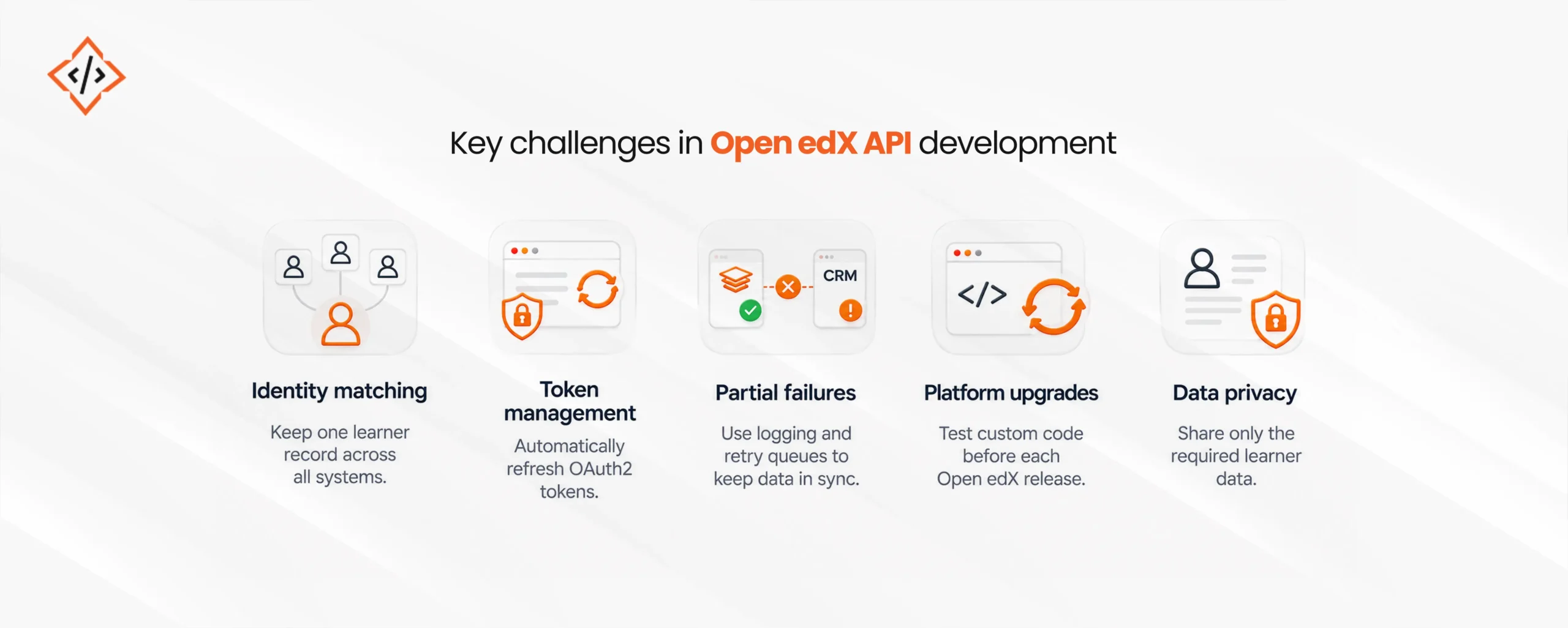
- Identity matching: The same person may have different emails in the CRM, HRMS, and Open edX. Use SSO and a shared external ID to keep one record per learner.
- Token management: OAuth2 access tokens expire, so integrations must refresh them automatically. Otherwise, syncs fail silently overnight.
- Partial failures: An enrollment may succeed while the CRM update fails. Logging and retry queues help keep both systems in step.
- Platform upgrades: Open edX releases new versions twice a year, and some APIs change between them. Hence, custom code needs testing before each upgrade.
- Data privacy: Learner data often includes personal details covered by GDPR or regional laws. Send only the fields each system needs.
Conclusion
Open edX API integrations remove the manual work between your LMS and the rest of the business. Once the CRM, HRMS, and ERP are connected, enrollments start automatically, and results land in the systems teams’ already-checked systems.
To get started, pick one high-value flow, such as onboarding enrollment or paid course access. Then, map data ownership with the matrix above, choose a build approach, and expand your Open edX API integrations one system at a time.
FAQs
Open edX API integrations connect the Open edX LMS to tools like CRMs, HRMS, and ERPs using its REST APIs. Data such as users, enrollments, and grades then moves between systems automatically.
Yes, Open edX can share enrollments, progress, and certificates with CRMs like Salesforce, HubSpot, or Zoho. Sales and customer success teams then see learning activity on each contact record.
The HRMS sends employee data, such as new hires and role changes, to the Open edX User and Enrollment APIs. Open edX then returns completions, grades, and certificates to each employee record.
ERP integration ties paid courses to orders, invoices, and revenue reports, so finance teams stop exporting LMS data by hand. It also triggers enrollment automatically once a payment is confirmed.
The most common are the User, Enrollment, Bulk Enrollment, Courses, Grades, and Certificates APIs. Most of them use OAuth2 tokens, and custom endpoints can be added through a platform plugin.
Yes, events like a new hire or a confirmed payment can call the Enrollment API to enroll learners automatically. Progress and grades can then sync back to the CRM or HRMS without manual exports.
Simple flows, such as enrolling a learner after payment, can run through standard APIs with light scripting or middleware. Complex rules, real-time events, or missing data usually need custom Open edX development.
Use OAuth2 client credentials with the smallest permissions each system needs, and store secrets in a vault rather than in code. Also, send data over HTTPS only and log every API call for audits.
Chand Prakash founded CodeTrade India and continues to lead it as CTO, shaping the technical direction of the company since its early days. He has spent his career solving hard engineering problems and building teams that ship reliable software, with a focus on ERP, e-commerce, and custom enterprise platforms.




 Chand Prakash
16 November 2026
 Chand Prakash