




Odoo Development
 Hardik Soni
03 November 2026
Odoo and TallyPrime Integration: A Practical Guide to Connected Business Operations
 Hardik Soni

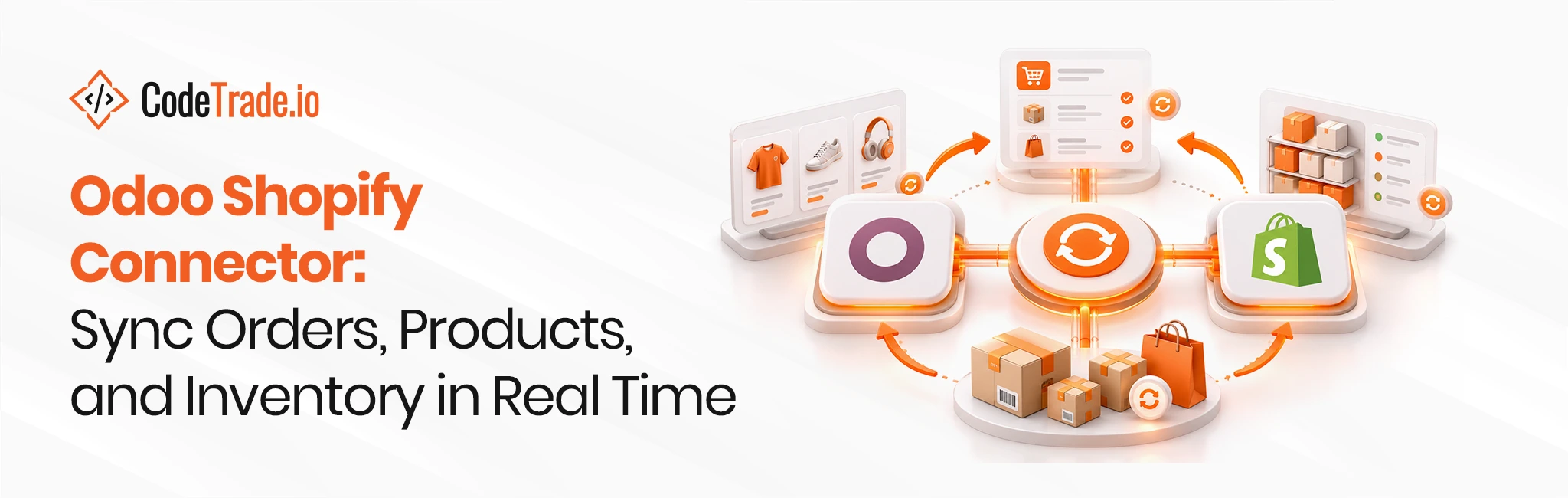
Shopify is built to sell. Odoo is built to run the business behind the sale, from purchasing and warehousing to invoicing and accounting. Many growing brands use both, and that works well until order volume rises. Then stock levels drift apart, orders are copied by hand, and finance spends the month-end matching Shopify payouts to invoices.
An Odoo Shopify connector solves this by keeping both systems in sync automatically. However, connectors differ widely in what they sync, how they handle failures, and which Shopify API they use. This guide explains what a reliable Odoo Shopify integration should cover, how the sync works in practice, and how to choose and set up the right connector for a growing store.
Running Shopify and Odoo side by side without a connector creates two versions of every number. Shopify shows one stock level, Odoo shows another, and nobody is sure which one is right. As order volume grows, the gaps turn into real costs:
The scale of the problem is large across retail. IHL Group’s 2025 inventory distortion study puts the global cost of out-of-stocks and overstocks at $1.73 trillion a year, equal to about 6.5% of retail sales. The same research found that fewer than one in four retailers have rolled out AI or machine learning in the areas most affected by inventory distortion. In short, inaccurate stock data still costs retailers far more than the tools that fix it.
A connector closes this gap only if Odoo itself is set up well, with clean products, warehouses, and taxes. That foundation is usually the first job for Odoo ERP development services before any sync goes live.
A complete Odoo Shopify synchronization covers more than orders and stock. The table below shows the usual scope, the direction of each flow, and which system should own the data.
| Data | Direction | Owner |
|---|---|---|
| Products, variants, and images | Odoo to Shopify | Odoo |
| Prices and price lists | Odoo to Shopify | Odoo |
| Available stock per location | Odoo to Shopify | Odoo |
| Orders and customers | Shopify to Odoo | Shopify |
| Fulfillment status and tracking numbers | Odoo to Shopify | Odoo |
| Refunds and returns | Shopify to Odoo | Shopify |
| Payouts, fees, and gift cards | Shopify to Odoo | Shopify |
The ownership column matters most. Each record should be edited in one system only. For example, if a team changes product prices directly in Shopify while Odoo also pushes prices, the next sync overwrites one of them without warning.
Notice that inventory appears as a one-way flow from Odoo. Sales still reduce stock in both systems, because each Shopify order reaches Odoo and creates a delivery. Odoo then recalculates and pushes the new available quantity back to Shopify. In practice, this behaves like two-way sync while keeping one clear source of truth.
A reliable Odoo Shopify API integration rests on three parts: the right Shopify API, webhooks for speed, and reconciliation for accuracy.
Shopify marked its REST Admin API as legacy on 1 October 2024 and now directs all new apps and integrations to the GraphQL Admin API, according to Shopify’s developer documentation. This has practical effects for merchants:
Therefore, a connector still built on REST may work today but can block catalog growth later. This is one of the first questions to ask any vendor.
Webhooks deliver near real-time updates. When a customer places an order, Shopify sends an event to Odoo within seconds, and the order appears ready for fulfillment.
Webhooks, however, are not guaranteed. They can arrive late, arrive twice, or fail during an outage or server restart. A dependable connector therefore adds a scheduled reconciliation job, often every 15 to 60 minutes, that compares recent orders and stock levels and fixes anything that was missed. It also checks each order ID before creating it, so duplicate events never create duplicate orders.
The Shopify side may need attention too. Custom checkout fields, metafields, or a headless storefront often require small store changes, which Shopify development services can handle alongside the integration.
Inventory is where most connectors succeed or fail. A few design choices make the difference:
Orders also carry accounting details that basic connectors often ignore:
Most businesses start with a ready-made Shopify ERP connector from the Odoo Apps Store. These modules are affordable and quick to install, and they cover standard flows well. Custom development becomes the better choice when the business has multiple Shopify stores, B2B pricing, complex bundles, high order volumes, or links to marketplaces and 3PL warehouses.
A middle path often works best. Experienced Odoo integration services can start from a proven connector and extend only the parts that differ, which keeps costs down without forcing the business into a generic setup.
Before choosing any option, check these points:
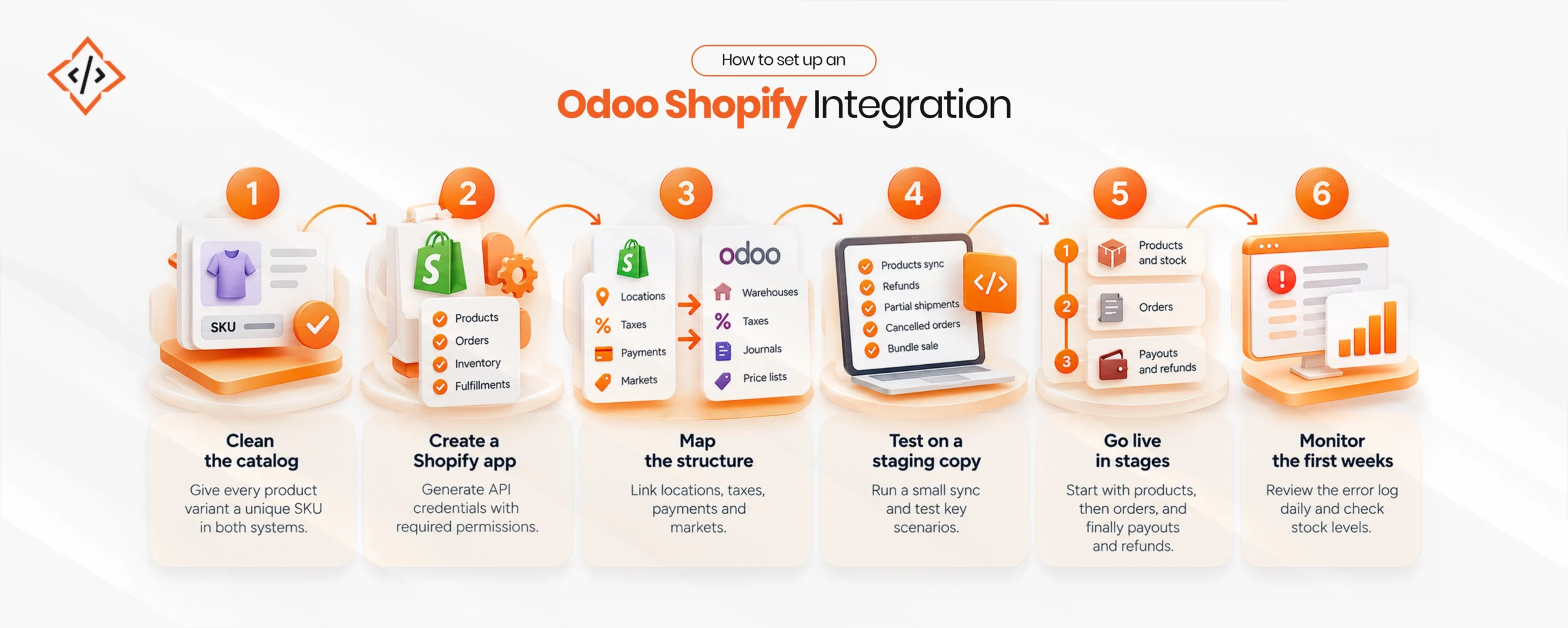
A careful setup prevents most future problems. The usual sequence looks like this:
Most connectors can import past Shopify orders by date range. However, older orders should be imported carefully. Bringing them in as open sales orders can trigger new deliveries or double-count stock. A safer approach is to import them as completed, already-invoiced records, mainly for customer history and sales reporting.
For custom mappings, ongoing upgrades, or stores that keep adding channels, many businesses choose to hire an Odoo developer who already knows the integration and can maintain it over time.
An Odoo Shopify connector turns two separate systems into one connected operation. Orders reach the warehouse faster, stock stays accurate across every Shopify location, and finance can match payouts without spreadsheets. The results, however, depend on the details: a connector built on Shopify’s GraphQL API, webhooks backed by reconciliation, clear data ownership, and proper handling of refunds and fees.
Businesses that get these basics right can scale from hundreds to thousands of orders a day without adding manual work. In short, the right Odoo Shopify connector becomes the backbone of a growing eCommerce operation.
 Hardik Soni
 Hardik Soni
 Hardik Soni
 Hardik Soni
 Chand Prakash