







Odoo Development
 Hardik Soni
28 September 2026
Hardik Soni
28 September 2026
Odoo 20 AI features: what the AI agents actually do
 Hardik Soni
If you’re operating multiple companies or branches across different U.S. states, you already know how complicated things can get. Different sales tax structures in California versus Texas create constant challenges. Separate accounting requirements for each legal entity. Additionally, the constant need to consolidate financial data without losing individual company details adds even more complexity. When regulatory compliance is on the line, it gets extremely difficult to manage everything.
Odoo multi-company architecture solves this problem by giving you centralized control without sacrificing independence. For organizations scaling across states, professional Odoo development services often play a key role in aligning system configuration with complex operational and compliance requirements.
Setting things up may seem technical at first. But once you understand how Odoo handles multi-company accounting, you will realize it addresses most operational pain points that come with managing separate legal entities. So, in this guide, we’ll show you exactly how to configure multi-company settings and make it work for your U.S.-based business.
Setting up a multi-company environment in Odoo 19 requires both technical precision and functional planning. As an Odoo 19 Guide for finance and operations teams, this approach focuses on balancing system control with flexibility at scale. The key is to configure each layer carefully so companies remain legally and financially independent while still working smoothly inside one system. This level of planning becomes especially important when multi-company requirements start to grow in scope and complexity, as outlined in this Odoo development guide.
Start by navigating to Settings → Companies → Manage Companies in your Odoo database. This is where every legal entity or operating branch is defined.
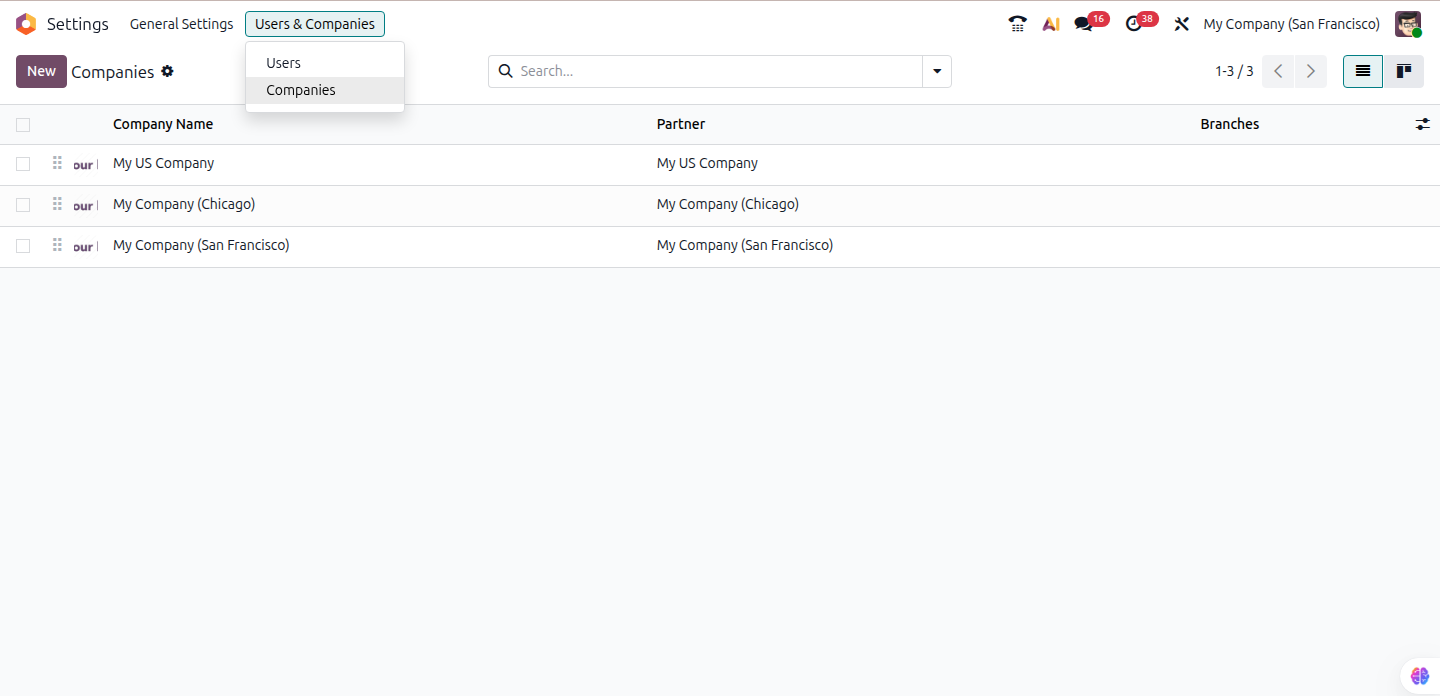
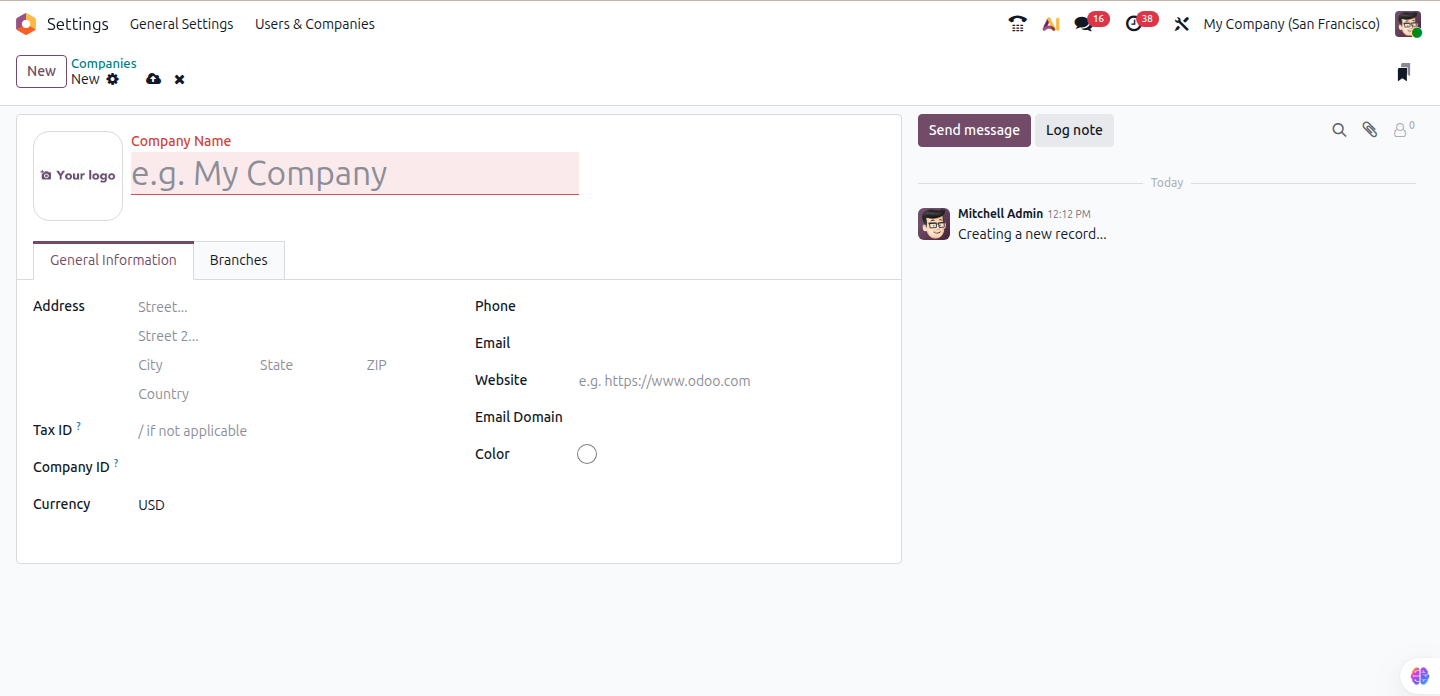
Click Create to add a new company and enter the core details. This includes the legal company name, registered address, and tax identification information. Make sure you enter the EIN correctly for all U.S. entities, as it has a direct impact on tax reporting and compliance. Then, change the default currency to USD, which is common for most American-specific operations.
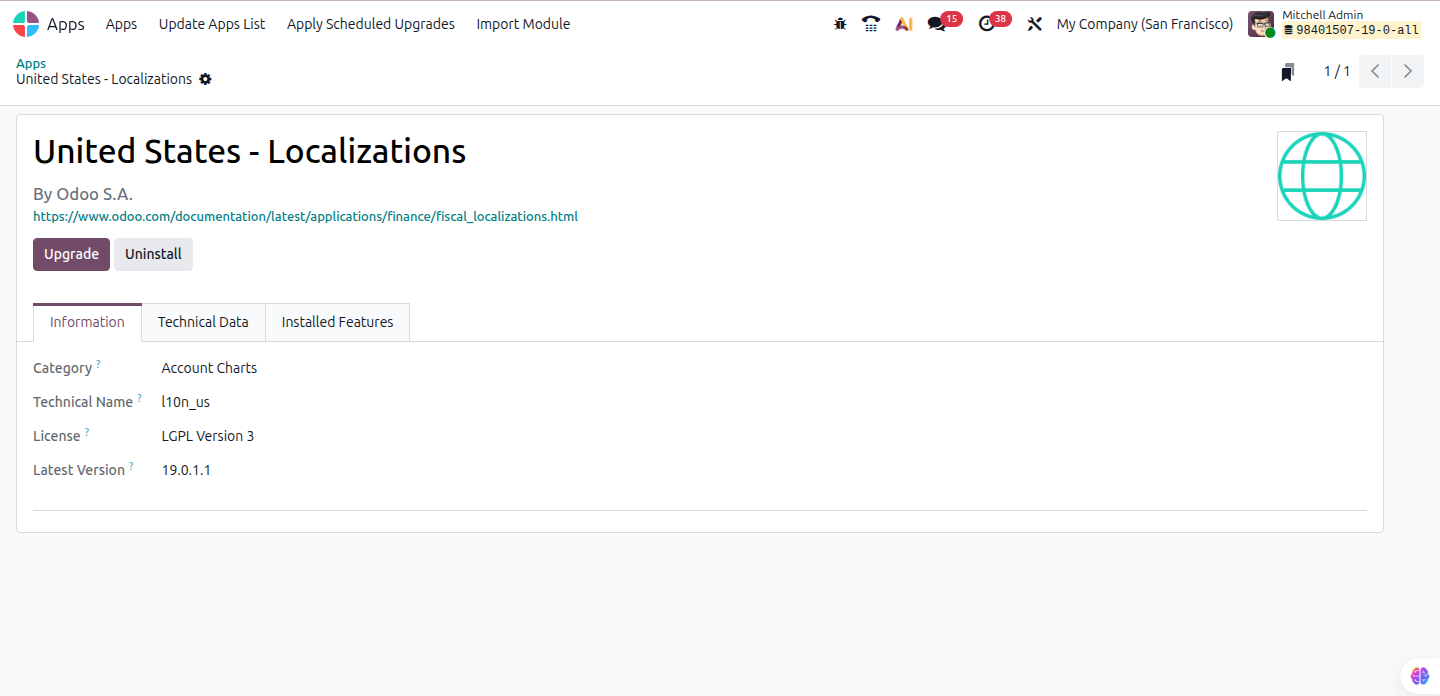
Next, install the appropriate fiscal localization module. For U.S. businesses, activating l10n_us is essential. It provides the correct accounting structure and sales tax framework required under U.S. regulations. This step forms the backbone of your Odoo multi-company setup and ensures each entity can operate under its own compliance rules from day one.
Once companies are created, the next critical step is controlling who can access what. User access control prevents costly cross-posting errors between entities.
To set this up, navigate to Settings → Users → Manage Users and open each user profile. Select the companies to which the user has access in the “Allowed Companies” area. You must also define a default company. It will help you determine the company context that loads when the user logs in.
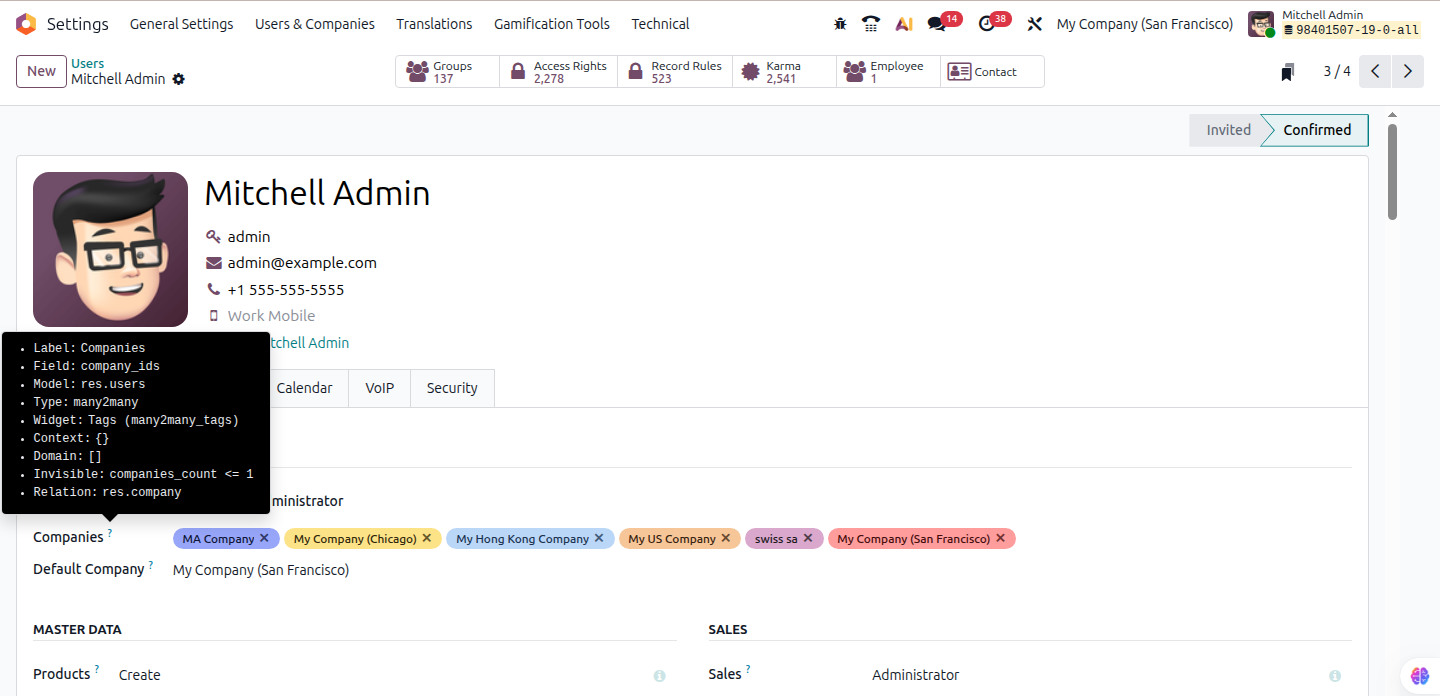
For example, finance managers frequently want access to multiple organizations in order to oversee consolidated reporting and approvals. On the other hand, sales representatives should be restricted to a single firm to avoid any accidental cross-posting.
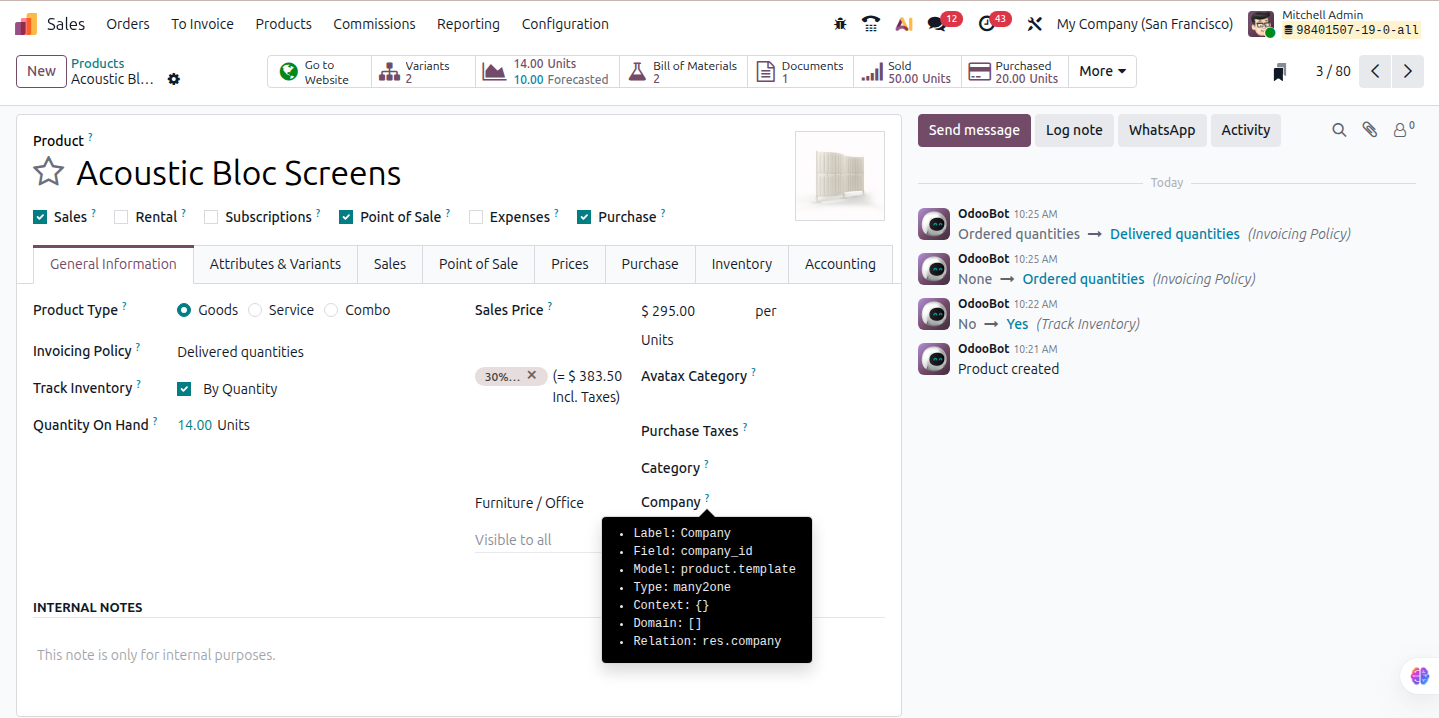
Getting this right early protects the integrity of your data and keeps your Odoo multi company setup clean as transaction volumes grow.
If your organization operates across borders or manages transactions in different currencies, you must enable multi-currency support. Navigate to Settings → Accounting and activate the multi currency option.
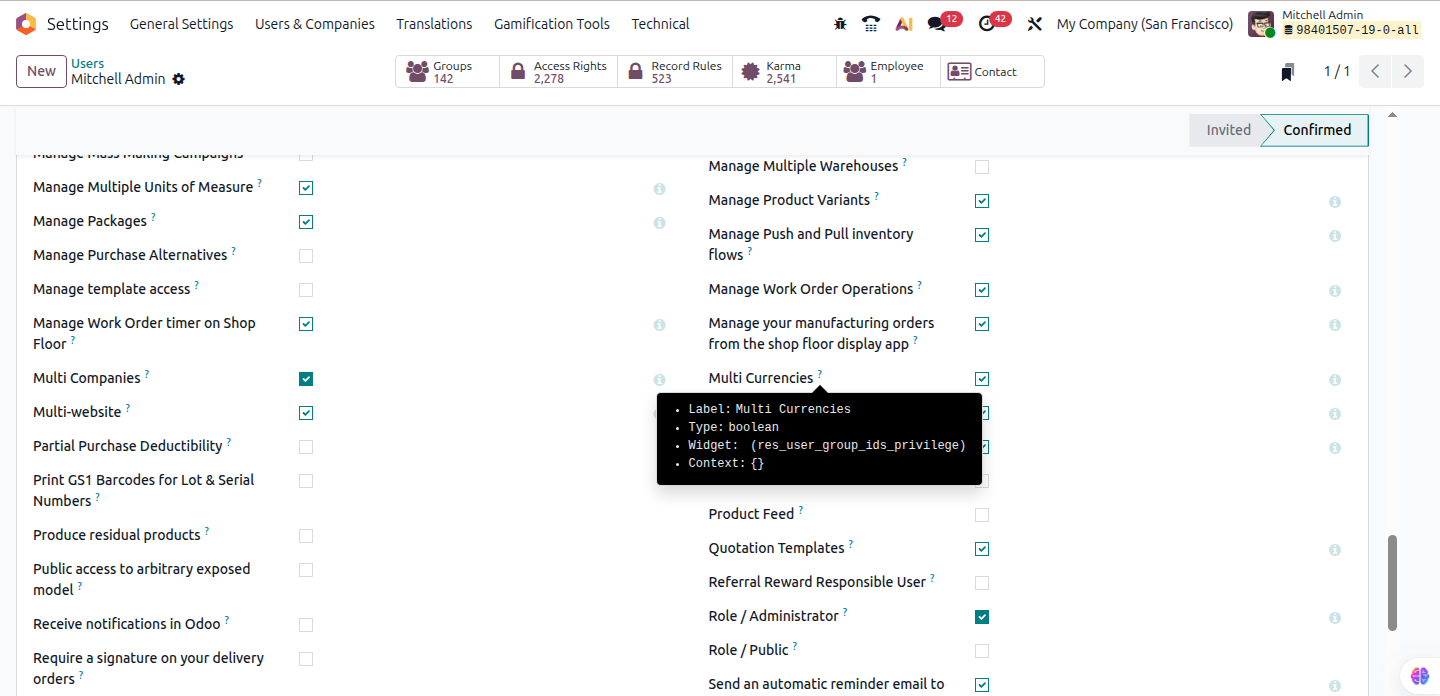
From there, enable the required currencies and configure how exchange rates are updated. Odoo allows both manual updates and automatic rate fetching, depending on how much control your finance team prefers.
For U.S. operations, confirm that the l10n_us localization package is fully configured. This enables you to manage state-level sales taxes more effectively.
If your company handles complex tax calculations in multiple states, incorporating third-party systems can considerably save manual effort. These integrations plug directly into Odoo and help keep multi company accounting compliant as tax rules change.
Intercompany transactions can quickly become a bottleneck if they are handled manually. Odoo solves this through intercompany rules that automate how related companies transact with each other.
Go to Settings → Companies → Intercompany Transactions and define how transactions should flow.
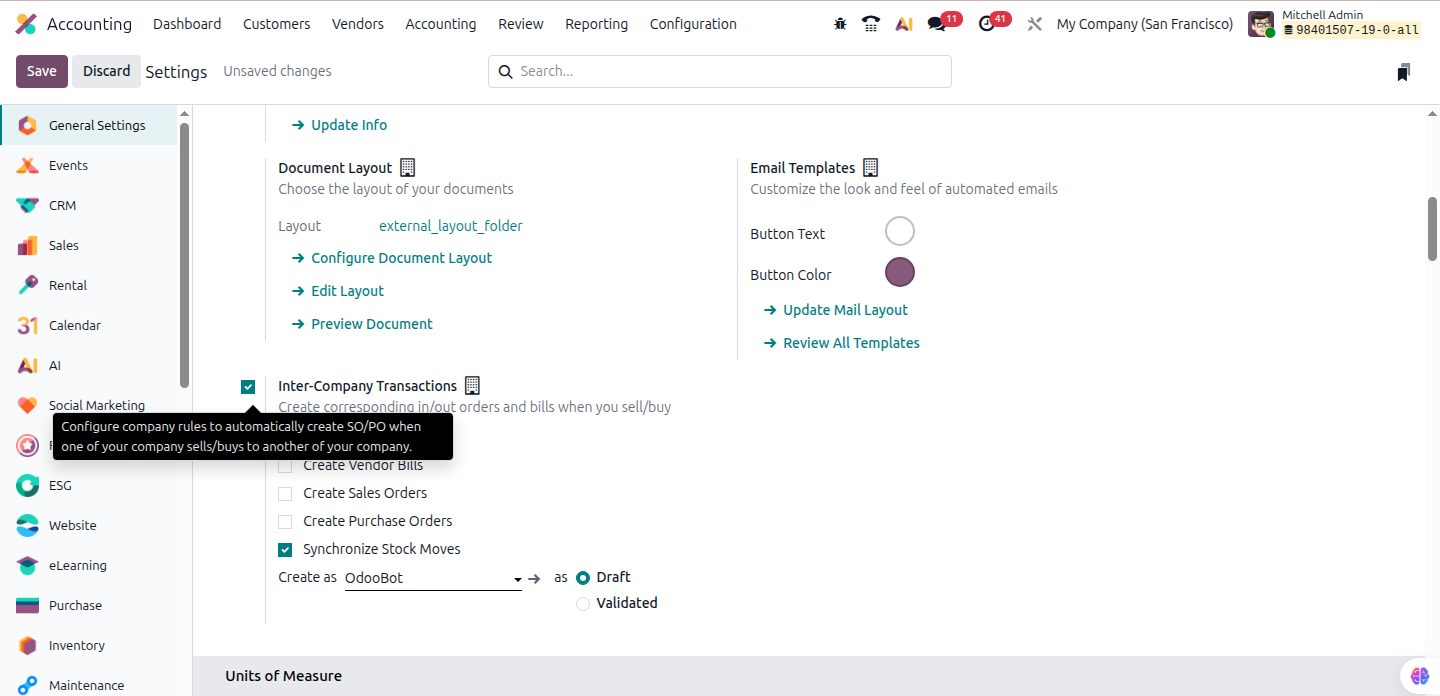
You can automate sales orders turning into purchase orders and generate intercompany invoices automatically. Additionally, you can manage internal stock transfers without duplicate data entry.
For routine transactions, full automation works well and saves time. Approval procedures add an additional layer of control to high-value or sensitive transactions. These rules ensure that when one company sells to another, both sides of the transaction are recorded correctly and consistently.
One of the strengths of Odoo multi company is the flexibility to share data where it makes sense and isolate it where it matters.
Shared resources typically include:
Separated resources usually include:
When creating or editing a record, leaving the Company field empty makes it shared across all companies. Assigning a specific company restricts visibility and usage. This approach allows you to maintain separate accounting structures while avoiding unnecessary duplication of operational data.
Before opening the system to daily operations, thorough testing is essential. This step often saves weeks of cleanup work later.
Run test scenarios that reflect real business activity. Create sales orders, post invoices, move stock between warehouses, and process intercompany transactions. Check approval workflows and generate consolidated financial reports to confirm everything aligns correctly.
Testing helps uncover issues like missing tax mappings or incorrect account assignments early. Many businesses choose to hire Odoo developer expertise at this stage to validate workflows and prevent costly post–go-live corrections. Fixing them at this stage is far easier than correcting posted entries later. A well-tested setup gives your team confidence that the system will scale without introducing accounting errors.
Odoo multi company begins to provide significant operational value once the configuration is complete. Instead of managing disparate systems or manual workarounds, teams can manage finance, sales, and inventory across several companies using a single platform. The true benefit emerges in day-to-day procedures, particularly as transaction volume and reporting complexity increase.
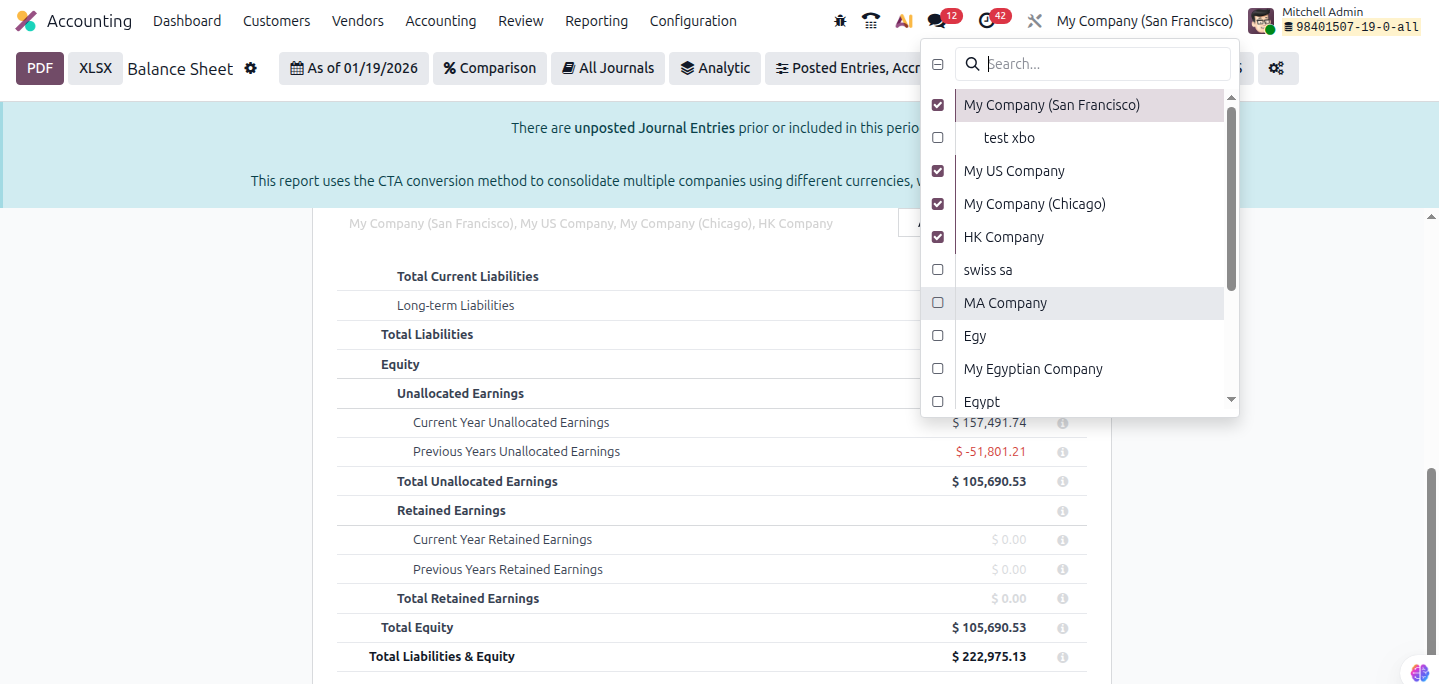
Odoo 19 makes financial consolidation far more manageable for organizations operating multiple legal entities. Using the consolidation features, finance teams can generate consolidated balance sheets and profit and loss statements that combine data from all subsidiaries into one clear financial view.
Intercompany transactions are automatically eliminated during consolidation. This means revenue generated when one subsidiary sells to another is removed from group-level reports, preventing inflated numbers and ensuring accurate financial statements. For organizations relying on Odoo multi company accounting, this automation removes one of the most error-prone parts of group reporting.
For U.S. parent companies with foreign subsidiaries, multi-currency reporting is another major advantage. For traceability, Odoo keeps the original transaction currency while converting transactions into the group reporting currency. Finance teams may support audits, internal reviews, and executive reporting. And they can do that without the need for additional reconciliation work by drilling down from aggregated statistics into individual company entries.
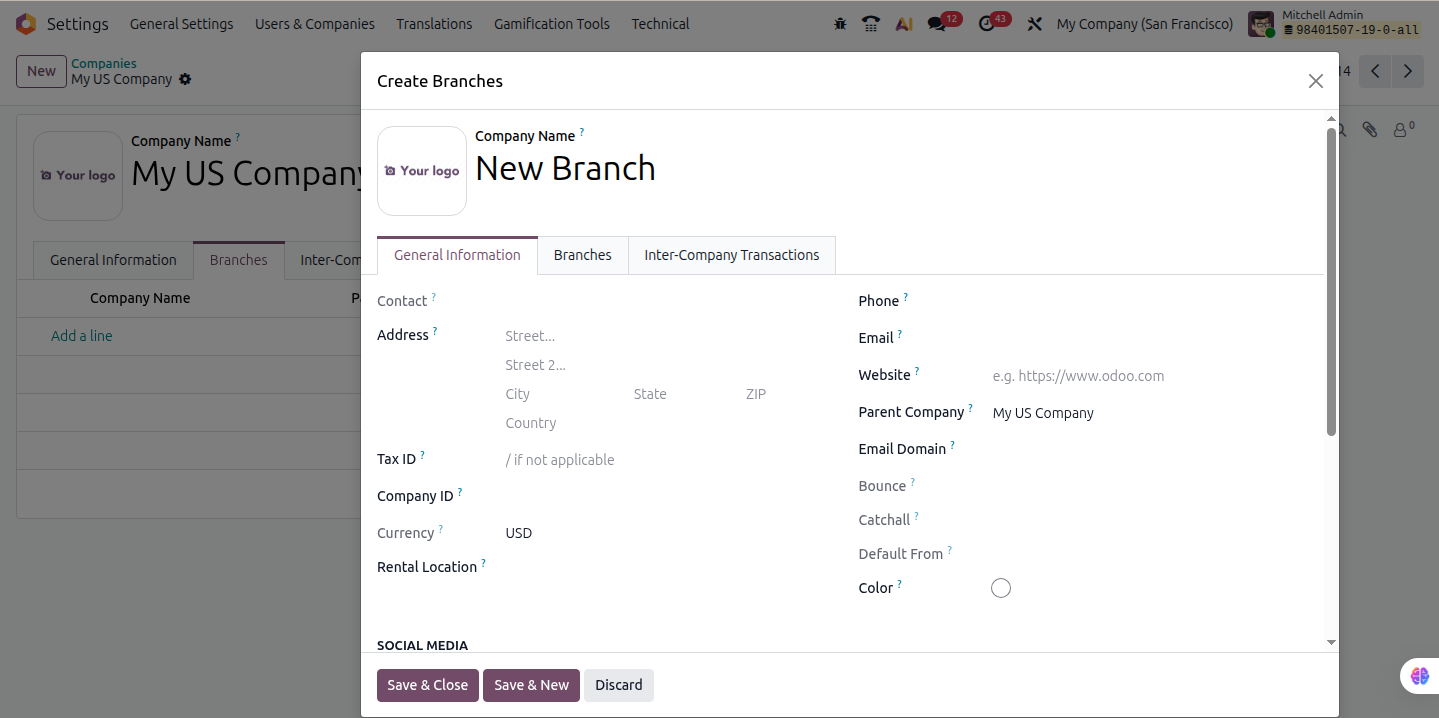
For businesses with multiple branches or subsidiaries, sales and inventory coordination is often where complexity peaks. Odoo solves this by allowing shared product catalogs while keeping inventory ownership and stock levels separate by company and warehouse.
Every branch runs its own warehouse with separate fulfillment processes, reorder guidelines, and stock counts. At the same time, product data remains consistent across the organization. And that helps avoid duplicate SKUs and mismatched descriptions. Intercompany transfers handle the process smoothly when inventory needs to move between companies.
When inventory needs to move between companies, intercompany transfers handle the process smoothly. Odoo automatically generates the internal purchase order, sales order, and corresponding stock movements between subsidiaries. There is no need for manual adjustments or duplicate data entry.
From an executive perspective, this setup provides full visibility across locations. Decision makers can see where inventory is overstocked, where shortages exist, and how sales performance compares across branches. That level of insight helps leadership make faster, data-backed allocation and sourcing decisions.
One of the most powerful features of Odoo multi company is the ability to use the same product across entities while applying different accounting rules behind the scenes.
For example, a U.S.-based distributor may sell the same product through multiple subsidiaries, each with its own pricing strategy, tax structure, and cost method. A company operating in California will apply sales tax, while another entity selling in Oregon will not. At the same time, one subsidiary may use standard costing while another follows FIFO or average cost.
This flexibility is especially valuable for U.S. retail chains, distributors, and SaaS groups operating across regions. You can create new chart rules and setup chart of accounts independently for each company, even when products are shared. In Odoo, this is managed directly from the Product → Accounting tab, where income accounts, expense accounts, and tax mappings are defined per company.
The result is operational consistency without forcing accounting uniformity where it does not belong.
Running multiple companies doesn’t have to mean drowning in complexity. When you set up Odoo multi company right, it takes all those scattered operations and turns them into one smooth, scalable system that grows with you. You keep full control and stay compliant, while everything from group accounting to inventory and sales processes just works better together.
For U.S. businesses dealing with multi-entity headaches, partnering with Odoo specialists who really know their stuff makes all the difference. Working with the best Odoo partner ensures your multi-company setup is not only technically sound but also aligned with long-term business strategy. At CodeTrade.io, we help companies nail their Odoo implementations, design solid multi-company setups, and handle those tricky U.S. compliance needs. With experts guiding you, your focus stays on growth while the system runs reliably behind the scenes.
 Hardik Soni
 Hardik Soni
 Hardik Soni
 Hardik Soni
 Hardik Soni