






AI
 Chand Prakash
23 November 2026
AI Governance for Startups and Small Businesses: Manage AI Risk and Stay Compliant in 2027
 Chand Prakash

Gartner predicts that 40% of enterprise applications will include task-specific AI agents by the end of 2026, compared with less than 5% in 2025.
As these agents take on larger workflows, many teams hit the same limit. One agent is asked to read documents, query three systems, apply policy, and write a reply. Its instructions grow long, its tool list gets crowded, and its accuracy starts to slip.
Multi-Agent AI systems address this limit by giving each part of the workflow to a specialist agent. The approach works well for the right kind of task, yet it also adds cost and new points of failure.
This guide explains how multi-agent AI architecture works, when it is worth the investment, what it costs to run, and how to implement it without wasting budget.
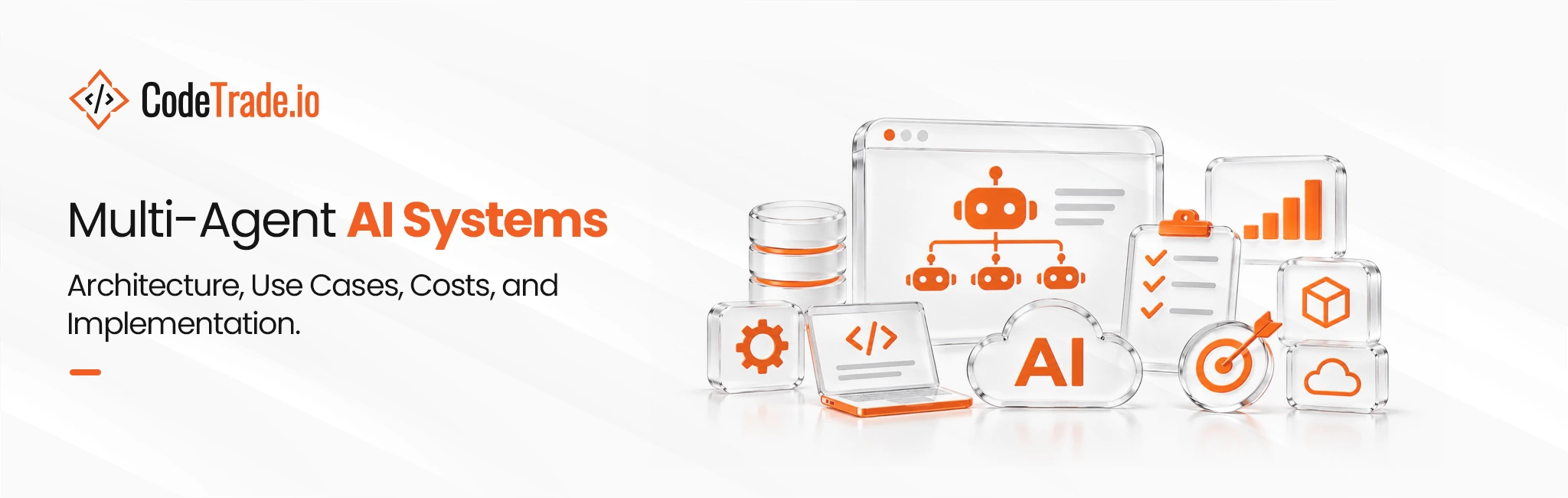
Multi-agent systems in AI are groups of AI agents that work together on one goal.
To understand them, it helps to start with a single agent. An AI agent is a language model that runs in a loop. It reads a task, picks a tool, looks at the result, and decides what to do next until the task is complete.
A multi-agent system runs several of these loops at once or one after another.
Each loop gets a narrower job and only the tools and data that job needs. Because each agent focuses on less, it makes fewer mistakes within its own area.
The trade-off is that the agents now have to share information correctly.
Most production designs contain five parts:
Not every complex process needs several agents. In many cases, a simpler design gives the same result at a lower cost. The table compares the three common options.
| Option | Who decides the next step | Best for | Main weakness |
|---|---|---|---|
| Fixed workflow with AI steps | Your code, in a set order | Stable processes with clear rules | Breaks when inputs vary widely |
| Single autonomous AI agent | One model inside one loop | Bounded tasks within one data area | Accuracy drops as scope grows |
| Multi-agent AI system | An orchestrator or the agents together | Parallel, wide or permission-split work | Higher token cost and errors that spread |
A fixed workflow is the cheapest to run and the easiest to audit, because every step is predictable.
A single agent adds flexibility when inputs vary. Multi-agent AI development becomes the better choice only when the work needs separate roles, separate access rights, or parallel effort that one agent cannot provide.
The decision should depend on the shape of the work, not on how advanced the design sounds. Four questions help test a workflow before any build begins.
Research shows why these questions matter.
A Google Research study on scaling agent systems found that coordinated agents improved results on a parallel financial analysis task by 80.9%.
However, every multi-agent setup performed worse, by 39% to 70%, on a strictly sequential planning task. The reason is simple.
Parallel work benefits from many hands, while step-by-step reasoning suffers when it is broken into pieces and passed between agents.
Multi-agent system design begins with a coordination pattern. The pattern decides how fast the system responds, how much it costs, and where errors are most likely to appear.
| Pattern | How it works | Good fit | Main risk |
|---|---|---|---|
| Orchestrator and workers | A lead agent splits the task, sends parts to parallel workers, and merges results | Research, document review, multi-source analysis | Vague task briefs cause duplicate or missing work |
| Sequential pipeline | Each agent passes its output to the next, like an assembly line | Intake, extraction, validation, posting | One bad stage corrupts every later stage |
| Hierarchical teams | Manager agents direct sub-teams of worker agents | Large programs across departments | Cost and delay grow with each layer |
| Peer review or debate | Agents critique each other's output without a single lead | Quality checks and judgment calls | Debates loop without a round limit |
| Event-driven agents | Agents react to triggers from systems such as CRM or ERP | Monitoring, alerts and back-office automation | Hard to trace when many agents fire at once |
The orchestrator and workers pattern is the most common starting point because it keeps one agent responsible for the full result.
Sequential pipelines suit processes that already run as fixed stages. Hierarchical and peer designs add power but also add cost, so they work best once a simpler pattern has proved its value.
AI agent collaboration depends on how agents exchange information.
Most systems use one of three methods. A shared state store, such as a database, holds facts and decisions that every agent can read. Direct messages pass structured data from one agent to the next. An event bus broadcasts updates that any interested agent can act on.
Two open protocols now shape this layer.
The Model Context Protocol (MCP) gives agents a standard way to connect to tools, files, and business systems. Agent2Agent (A2A) gives agents built by different vendors a standard way to find each other and exchange tasks.
Building on open protocols today makes it easier to swap models or vendors later without rebuilding the whole system.
Each handoff should follow a short written contract. The contract defines the goal in one sentence and specifies which inputs the agent can trust.
It also outlines prohibited actions, the required output format, completion criteria, and the step and token limits for each run. Clear contracts remove guesswork, which is the most common source of errors between agents.
AI agent orchestration frameworks provide ready-made building blocks for state, tools, and handoffs. The right choice depends on your cloud platform, programming language, and the level of control your workflow needs.
| Framework | Strength | Best for |
|---|---|---|
| LangGraph | Explicit state graphs with control over every step | Complex flows that need checkpoints and retries |
| CrewAI | Fast role-based setup with simple configuration | Quick prototypes and small agent teams |
| Microsoft Agent Framework | Deep Azure and .NET integration | Microsoft-based enterprises |
| Google Agent Development Kit | Native A2A support and Google Cloud tooling | Teams on Google Cloud |
| OpenAI Agents SDK and Claude Agent SDK | Low setup effort within one model family | Teams committed to one model provider |
Frameworks in this space change quickly.
Therefore, keep prompts, schemas, and test sets separate from framework code so the system can move to a new framework without losing its business logic.
The strongest multi-agent AI use cases share two traits. Each subtask needs different data, tools, or permissions, and a person can easily verify the final result.
| Industry | Use case | Agent roles | Human checkpoint |
|---|---|---|---|
| Finance | Invoice and claims exceptions | Intake reader, policy checker, calculator, reply drafter | Approval above a set amount |
| Healthcare | Prior authorization preparation | Record reader, criteria matcher, form builder | Clinician signs off |
| Retail and ecommerce | Catalog and pricing operations | Product enricher, price monitor, stock forecaster | Manager approves price changes |
| Software and SaaS | Customer support escalation | Classifier, knowledge retriever, resolver, QA checker | Human takes over on policy triggers |
| Logistics | Shipment exception handling | Tracker, carrier contact agent, rebooking agent | Ops lead confirms reroutes |
| Legal and compliance | Contract review | Clause extractor, risk scorer, summary writer | Lawyer reviews flagged clauses |
Customer-facing use cases need extra care, because a wrong answer can reach a customer before anyone catches it.
Many SaaS companies start with one conversational assistant, such as an AI chatbot for software platforms, and then add specialist agents behind it as ticket volume and complexity grow.
This keeps the customer experience simple while the back end becomes more capable.
Multi-agent AI cost has two parts. The first is the one-time build, which depends on scope. The second is the monthly run cost, which depends mostly on how many tokens the agents use.
For a broader view of how AI budgets are planned, see this guide to AI development cost.
Run cost follows one formula. Multiply the number of agents by the calls each agent makes, then by the tokens per call and finally by the token price. Because every added agent multiplies usage, costs rise faster than most teams expect.
The example below models a support escalation flow handling 20,000 tickets a month.
It assumes a mid-tier model priced at $3 per million input tokens and $15 per million output tokens. Model prices change often, so recheck current rates before budgeting.
| Setup | Input tokens per ticket | Output tokens per ticket | Cost per ticket | Monthly cost |
|---|---|---|---|---|
| Single agent | 8,000 | 1,000 | $0.039 | $780 |
| Classifier agent | 3,000 | 200 | $0.012 | - |
| Knowledge retriever agent | 15,000 | 800 | $0.057 | - |
| Resolver agent | 10,000 | 1,200 | $0.048 | - |
| QA checker agent | 6,000 | 500 | $0.026 | - |
| Multi-agent total | 34,000 | 2,700 | $0.143 | $2,860 |
Here, the agent team costs about 3.7 times more per ticket than the single agent.
That difference is not a problem by itself. The real test is whether the team resolves enough extra tickets without human help to save more than $2,080 a month in staff time.
If it does, the extra spend pays for itself. If it does not, the single agent is the better choice.
The most effective ways to lower this cost are practical. Use smaller models for narrow workers and keep the strongest model for planning and review.
Cache stable instructions so they are not billed in full on every call. Give each agent only the data its task needs. Finally, cap steps and retries per run so one stuck agent cannot burn through the budget.
Errors compound as work passes between agents.
If each step succeeds 95% of the time, five steps in a row succeed only about 77% of the time. The MAST study reviewed 1,642 execution traces across seven frameworks and found that failures cluster in three areas:
Most of these problems come from design choices, which means design can prevent them:
Multi-agent AI implementation works best as a staged rollout. Each phase produces evidence, and agents are added only when that evidence supports them.
| Phase | Days | Goal | Output |
|---|---|---|---|
| Scope | 1 to 15 | Pick one workflow with real volume and record its current time, error rate, and cost per task | Baseline metrics |
| Build baselines | 16 to 40 | Build a fixed workflow and a single-agent version with test sets | Two working baselines |
| Test agent teams | 41 to 70 | Run the same real cases through all three designs and compare accuracy, cost, and speed | Evidence for the final design |
| Harden and pilot | 71 to 90 | Add tracing, budgets, and approvals, then run on live volume with human review | Production pilot |
Stop rules should be written on day one.
The project should pause if the multi-agent version does not beat both simpler designs, if the cost per task exceeds the value of staff time saved, or if a failure cannot be traced to one agent within a working day.
Enterprise AI automation with agents needs skills in prompt design, system integration, evaluation, and security.
Teams with experienced AI engineers can often build a first pilot on their own. However, many businesses choose custom AI agent development with a partner to shorten the timeline and avoid early architecture mistakes that are expensive to undo.
When comparing AI agent development services, look for a partner that starts with your workflow and numbers before recommending a framework.
The team should be able to show real handoffs between agents in a live trace. Evaluation, baselines, and stop rules should be part of the plan from the first week. Experience connecting agents to ERPs, CRMs, and older systems also matters, since integration usually takes the most time.
Multi-Agent AI Systems give businesses a practical way to automate wide, complex workflows that a single agent cannot handle reliably.
Strong results come from careful scoping, the right architecture pattern, honest cost modeling, and firm controls at every handoff.
Starting with one workflow and a single-agent baseline keeps risk low while AI workflow automation proves its value in real numbers.
 Chand Prakash
 Chand Prakash
 Chand Prakash
 Chand Prakash
 Chand Prakash